brettspielcafe

← Back

The Videogames of My Childhood

February 3, 2026

Minecraft

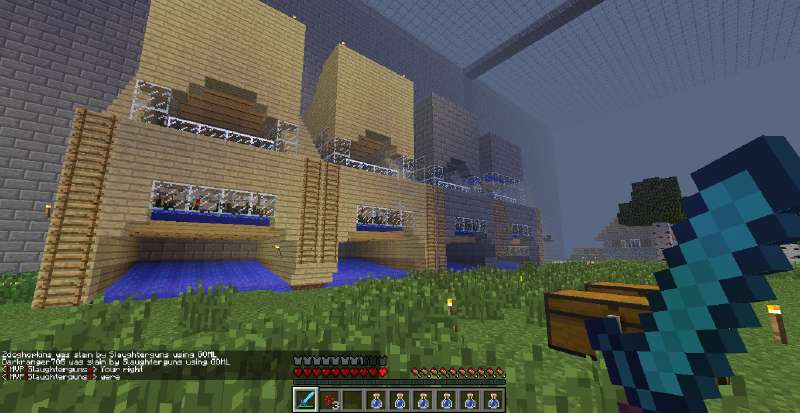
screenshot of Minecraft

I have a long history with Minecraft. It started with trying the demo on the family PC. It was quite old and the game would lag, distorting sounds into “machine gun” style clicks that had my parents worried what I was playing.

I spent many hours playing Minecraft when I should have been doing homeschool work. I also played with my friends. The first server was Fightcraft, a survival server with a plugin that added an economy and other gameplay features. I used Nodus on this server, I think I was banned eventually.

I also spent many hours on 0tx and one other now-defunct server I can’t remember the name of. 0tx was really fun because strength and speed potions were overpowered and easy to make. The server would let you do “/kit starter” which would give you some cruddy armor and tools. You would drink the potions and use this kit and then grief other people’s fights in the community “flatgrass” battle area. You could get “gapples” this way, back when they were uncraftable. Higher tier players could also use the /kit command to get iron or diamond armor so they had an advantage but you could get stuff and enderpearl or warp away sometimes.

The second server was my first time making an “alliance” with anyone online. My brother and I had our bases in another player’s protected region, his name was Seannyboy26.

Smash Bros Brawl, PM, Melee
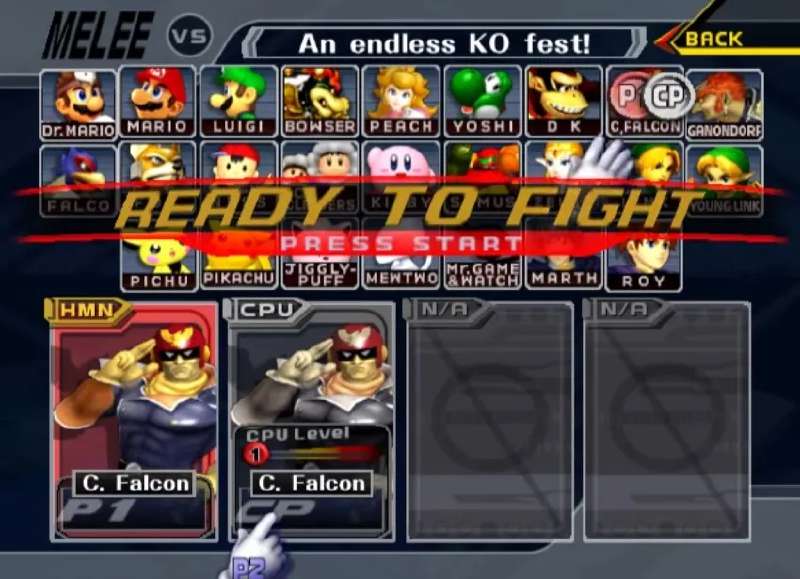
screenshot of smash bros

Where to begin? If there’s any game that I have the most history with, it’s Smash Bros. As young kids, we weren’t allowed to play Brawl because our parents feared it would create violent behavior in us. Not a completely unfounded fear, but eventually they compromised and let us play it as long as we picked the non-human characters.

I’ve spent hundreds if not thousands of hours on different Smash Bros titles. It was the game my friends and I all had in common. We took it seriously, getting salty when we’d lose. Went to a few local tournaments.

Characters I’ve mained:

For the last year or two, I’ve been playing a lot of Melee online with Slippi. I like it because it requires minimal setup, it’s free, the game is old (easy to run) and I don’t have to worry about game updates mucking up my characters. Also it’s really easy to run on Linux unlike most PC games.

Pokemon Pearl, Platinum
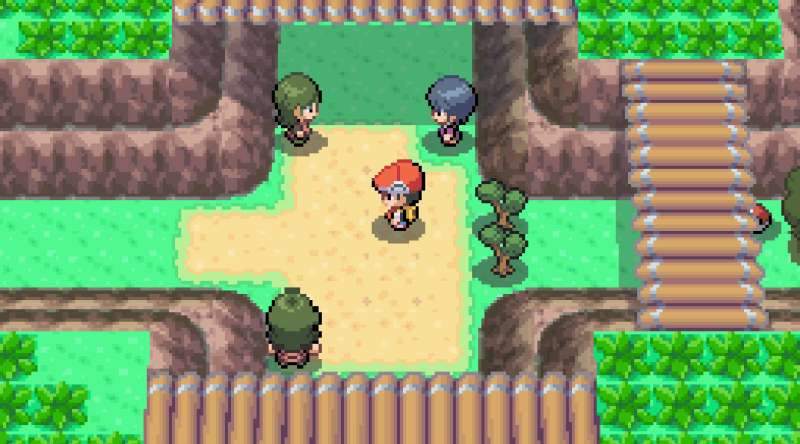
screenshot of pokemon

Pokemon Pearl my beloved. Another early Nintendo game for me. I had Pokemon Pearl and my dad had Diamond. Another game with great mystery. I loved reading the Gamefreak guides at the bookstore and learning all about the map, looking for things I hadn’t found yet.

Eventually I got into Action Replay and R4 so I stopped playing the game for what it is and got into modding, but that’s another story. I did play through the entire game.

The music and vibes are immaculate.

Mario Kart DS, Wii, Doubledash

screenshot of mario kart

Mario Kart DS might be the first Nintendo game I ever played. When I was like 12 my dad came home with an old DS “phat” and Mario Kart DS.

What a great game given the time and handheld nature. The unlockable characters had such mystery to them like ROB and Shyguy. I would only see them online as I was too young to Google how to unlock them.

Wii was also a blast, amazing aesthetics and music. I really liked the online even though it was ravaged by hackers. I found gamecube controllers to feel wrong with this title even though they are technically compatible (rare Nintendo W.)

I played double dash around the same time. Another great title with mysterious unlockable characters, fun shortcuts and great mechanics. The most fun way to play was… not with two people on one kart. That way you get full control and can punch people/use items all on your own. It is a good way to play with a younger kid and I’m sure I co-oped with my dad.

Mario 64 DS, Mario Sunshine, Mario Galaxy

screenshot of mario sunshine

As a pre-teen I spent many hours on Mario 64 DS. It felt like a sandbox to me, like there was always more to explore and more easter eggs and hidden areas to find. The surreal nature, though less present in DS compared to the original, still existed and was influential on me. Mario 64 has a cult following so there’s not much I can say that hasn’t been said already.

I played Mario Sunshine when I was a bit older but still young. Different vibes. Mario 64 to Sunshine is a serious culture shock. But much of the same mystery - seeing islands in the distance and wondering if there was some way to get there, underground sewer systems you could run around in, and graffiti everywhere. A standout performance from Bowser Jr.

I really liked Yoshis and the different colors you could get by eating fruit, and the FLUDD nozzles.

Mario Galaxy was the first game I played on the Wii. This was the game that was on display to sell the console. This game feels very different from 64 and Sunshine as it’s much more puzzle heavy and closer aesthetically to modern Mario. You do have series-exclusive enemies and items but it is all polished and accessible.

The crossover of having Rosalina in this and Mario Kart Wii was neat. Nintendo was making a strong effort to push this new princess.

Somehow I have fewer fond memories of Galaxy than 64 or Sunshine but still a must-play game.

Mario Bros Wii, Mario Bros DS

screenshot of mario bros DS

Mario Bros Wii was so much fun. Great music and fun times with friends, avoiding their respawn bubbles and playing on the lava rollercoaster level.

I spent similar amounts of time on Mario Bros DS. The DS download play feature was great. We forget how good we had it - LAN multiplayer and only one person needed to own the game.

Pikmin 1, 2
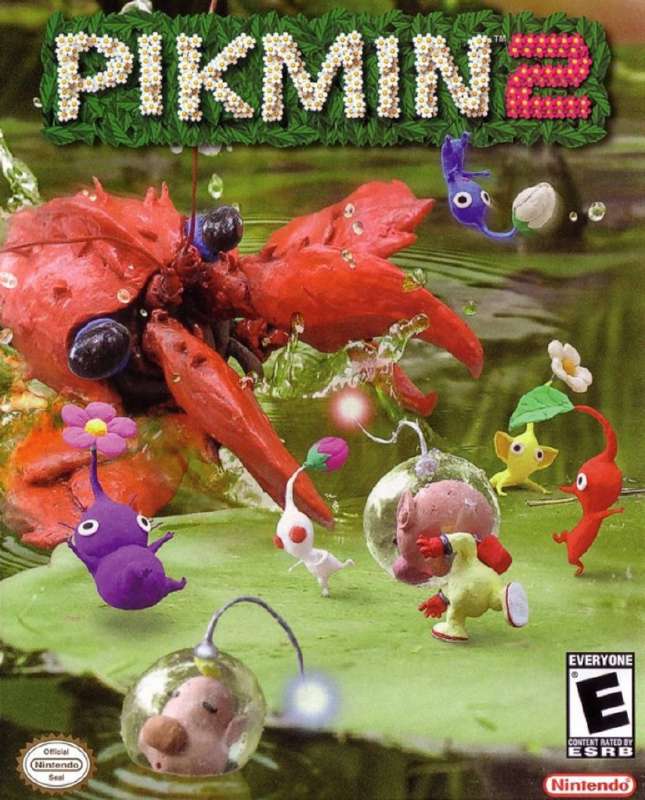
screenshot of pikmon boxart

I spent many hours exploring Pikmin. I did well at the game from a young age, playing through and unlocking the different types of Pikmin. That was my favorite part, the mystery of different Pikmin types.

One time I made the different Pikmin out of clay. This was before Nintendo toys were everywhere. I bet there’s official plastic Pikmin toys now.

My first exposure to it was playing co-op with my cousin. I think co-op or versus came in 2? I don’t remember.

Spore Creatures, Spore

screenshot of spore game

Spore was a large part of my childhood. My friend introduced it to me. The game does not support real co-op but you can find other player’s creatures in the different gameplay stages.

Spore is still playable. There are some bugs with the Sporepedia and online functionality but surprisingly, EA resurrected the servers and they are still online.

Burnout Paradise

screenshot of burnout paradise

I loved Burnout Paradise for its open world. I spent hours driving around the city, going through paint shops and doing tricks on the beach ramps. I did play online once with my cousins and remember exploiting this glitch I found where you could slide sideways into a ramp and the game would teleport you away after a moment. They were flying towards me and then boop I disappear. This game is still available on PC though I doubt I would appreciate it as much.

Commanders: Attack of the Genos

A story and multiplayer game like Advance Wars. I don’t remember much of the story but I did like the characters, especially the androgynous, secretive Raven.
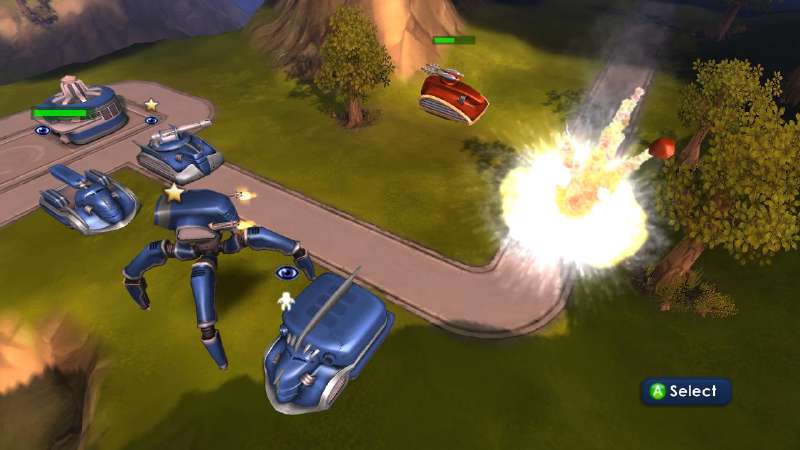
screenshot of commanders game

I remember my dad, his brother and father playing this one online. I really like the music, art style and explosions when units are blown up. Still playable on Windows if you download the torrent/repack/crack from Rutorrent, but I wasn’t able to get audio working in WINE.

Viva Pinata

This was an Xbox 360 game which allows you to cultivate a garden. You have to arrange it in a certain way to encourage creatures to come into and stay in the garden. There are a few Pinatas that need to be hunted to unlock other Pinatas which was always a moral dilemma. There are “evil” dark pinata that come out at night and hunt from your garden. If you allowed a certain pinata to be hunted in a certain way, you could tame the evil dark.
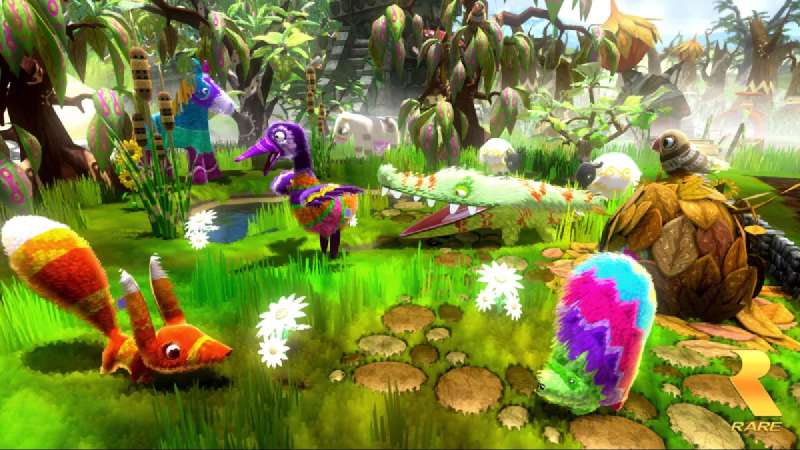

screenshot of viva pinata
← Back

How I Joined a Private Tracker

January 27, 2026

If you’ve been on the internet for a decade or so, you’ve probably heard of torrents. Maybe you used The Pirate Bay or KAT or remember when uTorrent wasn’t malware.

I grew up post-internet but prior to modern streaming services really taking over. I was never a huge fan of torrenting but I did occasionally and remember uploading my own torrent to TPB.

Today, torrenting has fallen off. With the popularity of Steam and streaming services, and the disposable “you will own nothing” mentality, nobody really cares. Torrents of films only a few years old have 0 seeders and there’s a bajillion mirrors of torrent sites with no obvious way to tell which one you should use first.

What made me dive into the world of private trackers was this problem. I am a fan of preserving media and I like offline, no-strings-attached access to media. I don’t want to log in, I don’t want to block ads, I don’t want to enable DRM, etc.

So I researched and came upon Avistaz. I had actually seen the ninja icon years before but wasn’t willing to jump through hoops to get in. It was risky because I didn’t know if they had what I wanted and the service is completely locked away from public view. Luckily, they’re advertising that if you pay for a seedbox, you can get in!

Screenshot of Avistaz private notice

I looked at the two options and decided RapidSeedbox was better. They hide the cheapest plan during purchase so you have to click around. In total I paid $6 with PayPal. Then I disabled automatic PayPal billing as I only want to pay for one month. Care must be taken to not actually cancel the service as you’ll get banned if you do that.

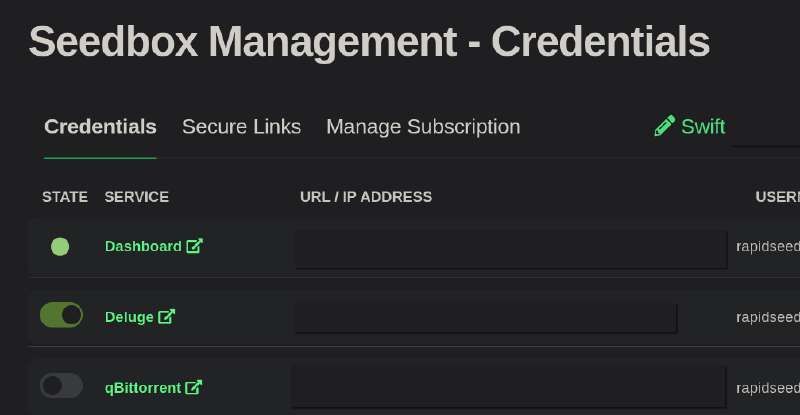
I tinkered with the different torrent clients they offered and settled on Deluge because it appeared the most functional. Some more Googling indicated one needs to disable Local Peer Discovery, DHT and PEX for private trackers. The transmission web interface wasn’t letting me into the settings menu but I had no problem with Deluge. I also realized if I wanted to move this whole setup locally when the month ends, it makes sense to run two different clients instead of two transmission instances so that I don’t mess anything up.

Screenshot of RapidSeedbox homepage

OK! What next?

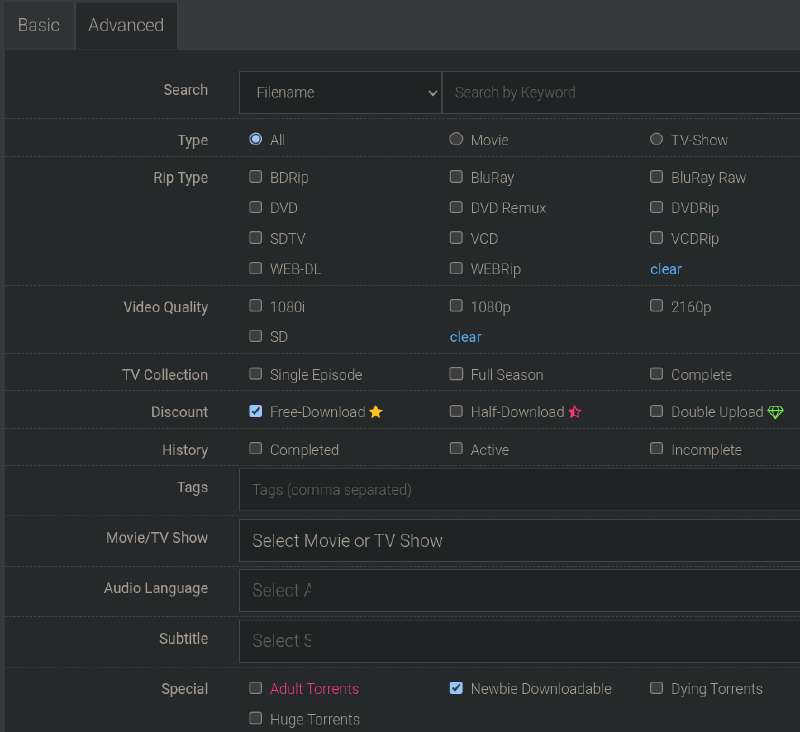
The internet tells me I need to look for “free download/free leach” torrents to build “ratio” on the tracker. So I started out by downloading some awards show which I have no interest in. The reason I chose this was that the seeders/leachers ratio was good (not 1:1, but not extreme either) and it was a substantial size, 130GB.

Screenshot of Avistaz search

Basically, we want to become a seeder as fast as possible and start seeding to the other leachers to build our own ratio. Everyone else wants to do this as well, especially with new releases so you will see many torrents like 13 seeders, 1-3 leachers. These are bad because we won’t have much opportunity. We should also avoid the “1 seeder 14 leachers” type as this could be a trap. It could be the 1 seeder does not have the entire file, his internet is terrible or he’s intentionally trolling by setting his upload speed to zero. If we start downloading and then stop we could be punished with a Hit and Run which is bad for our account.

After a while, this random torrent finished. Even as I was downloading, my client seeded to another user which made my ratio in the thousands (free download = 0 download.) I decided to look for the kdramas I actually wanted and to my surprise, they were all free download! I sorted by size and read through comments to make sure each torrent was the best of its kind. Because I care about preservation, I want the highest quality, which is either going to be a BluRay raw (includes disk menus,) a remux (probably includes BluRay quality footage,) a Web DL/Rip or a DVD rip, in that order.

Apparently remuxes can offer better quality than even BluRays because people painstakingly piece together the best parts from multiple sources. If one scene looks better on a DVD release, or the subtitles are better on a streaming service, they can put these together to create the “ultimate” viewing experience. This isn’t always the case and some remuxes can just be the BluRay footage stripped of padding and disc menus/features/other unneeded content which greatly reduces the filesize and complexity of playing the media.

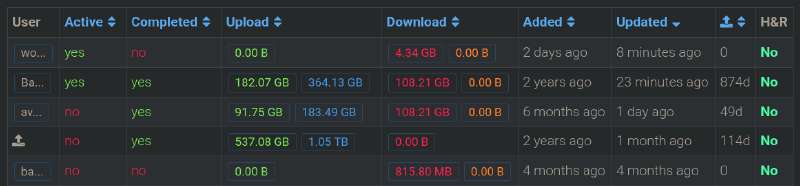
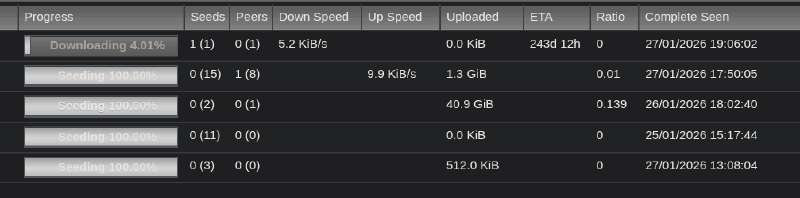
As of writing, 3 out of 4 of the dramas I wanted have finished downloading. The last one is a hefty 100GB BluRay rip with one seeder that seemingly does not want to seed to me. I still appreciate him for keeping the torrent alive even if it takes a year to download. There are a few other users who pop in and out which seed but not the 8MB/s download speed I would like. This last one is a dying torrent so seeding it gives you “double upload” which encourages those who have it to share it. By uploading, you’re increasing your buffer which is like an allowance of file size you can download before your ratio goes down.

Screenshot of torrent users
Screenshot of torrents

Moving them off the seedbox is a little cumbersome. I mounted the seedbox drive with SFTP which is supported in KDE’s Dolphin file manager with no additional tweaks. Even though RapidSeedbox provides root access, Dolphin wasn’t letting me open a terminal in the directory so I had no way to run md5sum on the files there to compare with the ones I copied to my machine. There’s probably some way to do this I just haven’t bothered and as long as the size matches on remote and local, it probably copied OK.

My end goal is to make the files on these private trackers accessible on public trackers. I have to be careful not to share the original torrent file or magnet as it is uniquely tied to me and would get me banned for doing so. I need to make a new torrent with the same content and without the private tracker added.

Provided I don’t make any mistakes, I now have 83GB of buffer, highest possible ratio and I’m on track to gain “member” status which would allow me to… download torrents that are brand new. I don’t really care, but it’s cool that I did it I guess.

Screenshot of my avistaz homepage

So what’s the verdict? It’s great and I really like it. I will need to log in once every n days and download something every n days to prevent my account from being deleted, so it does take up a bit of headspace to keep the setup alive, and moving everything to my desktop might be fiddly. But if you can get into a private tracker without too much trouble and you want to propagate or collect media, this is the way to do it.

Update… moving files to my desktop was easy. I did a little research and found that differing filesizes from the SFTP mount and my local HDD is apparently not a problem as long as Deluge checks it and it seeds fine after. It is annoying that the cheap plans do not offer SSH access to the seedbox so there’s no way to get md5sums of the remote files, nor use something like rclone/rsync for faster and safer transfers.

The process is to pause the torrent on the seedbox, add the torrent file to local, let it check/start seeding, then delete/remove the torrent on the seedbox. In this way, you avoid seeding from two places at one time which is prohibited by the rules.

I am a little nervous about using this random old hard drive so I will back up these dramas to my yandex disk.

← Back

Asian Dramas I Recommend

January 24, 2026

Hi, I’m going to list the K/J dramas I have watched and tell you a little about them! The order they’re in is roughly what best to least best. All of these have the same trope of “girl pretending to be a boy” which is a meme I enjoy.

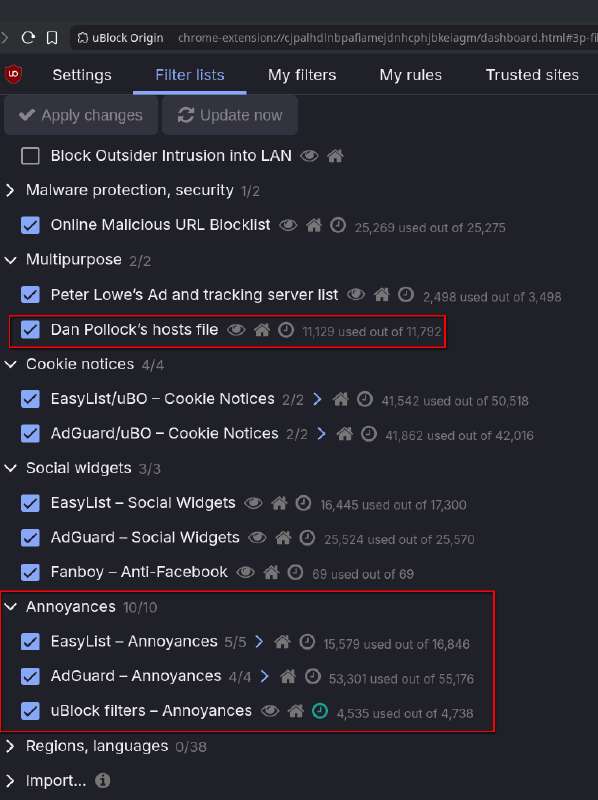
If you are going to watch on Viki, I recommend installing uBlock Origin for Chromium based browsers or Firefox based browsers and enabling all filters. Viki still locks HD play behind a subscription but surprisingly, uBlock blocks adds on Disney+ and here.

Screenshot of uBlock settings

Hana-Kimi / For You in Full Blossom - Ikemen Paradise

Promotional material for Hana Kimi

“This hilarious comedy follows the chaos, troubles, and friendship at a boys’ boarding school after a girl disguised as a boy joins. Ashiya Mizuki has just come back to Japan from California where she was raised. She fell in love with Sano Izumi, a hopeful high jump hero, who has quit after an accident. As she wants him to go back to the sport once again, she enters the same high school as a boy! With short hair, a flattened chest, and lowered voice, she starts sharing the same room with Sano.”

This is my favorite kdrama. Because of its release date in 2007, it has that warm feeling only older media can have. Very cute, entertaining and engaging.

base64
bWFnbmV0Oj94dD11cm46YnRpaDpiZmQ4ODAxYWFhNDRmNWZiNWQ0YmUzNjg4M2YzZTEwMjMyOTk1NGZlJmRuPSU1QkpEcmFtYSU1RCUyMEhhbmF6YWthcmklMjBubyUyMEtpbWl0YWNoaSUyMGUlMjAlMjhIQU5BLUtJTUklMjklMjAlMjgyMDA3JTI5JTIwQ29tcGxldGUlMjAlMjgxMDgwcCUyMFdFQi1ETCUyMEFBQyUyOSZ0cj1odHRwJTNBJTJGJTJGbnlhYS50cmFja2VyLndmJTNBNzc3NyUyRmFubm91bmNlJnRyPXVkcCUzQSUyRiUyRm9wZW4uc3RlYWx0aC5zaSUzQTgwJTJGYW5ub3VuY2UmdHI9dWRwJTNBJTJGJTJGdHJhY2tlci5vcGVudHJhY2tyLm9yZyUzQTEzMzclMkZhbm5vdW5jZSZ0cj11ZHAlM0ElMkYlMkZleG9kdXMuZGVzeW5jLmNvbSUzQTY5NjklMkZhbm5vdW5jZSZ0cj11ZHAlM0ElMkYlMkZ0cmFja2VyLnRvcnJlbnQuZXUub3JnJTNBNDUxJTJGYW5ub3VuY2U=

You’re Beautiful

Promotional material for You're Beautiful

“The management company of the idol group A.N.JELL insisted on adding a new singer to the group as the lead vocal, Tae Kyung’s voice was hurting. However, the new member, Mi Nam, had to go to the States to repair a botched eye job just before signing the contract. His agent came up with the idea of having his twin sister, Mi Nyu, to stand in for him and pretend that she was her brother. The two of them grew up in an orphanage and Mi Nyu, who was all set to become a nun, agreed to this charade as she didn’t want to spoil her brother’s chance of fame which would make it easier to look for their mother.”

This drama is very high production value. I do wish there were more unique tracks, they use the main song over and over. It is a little bloated, maybe half an hour of content could be cut out.


To the Beautiful You

Promotional material for To the Beautiful You

“Jae Hui moves to Korea to help Tae Jun restart his high jump career after he announces his retirement. Despite his closed heart, Tae Jun begins to open up to Jae Hui. Meanwhile, Eun Gyeol struggles with his feelings for Jae Hui, who is pretending to be a man. The student-athletes bond during training, focusing more on camaraderie than competition.”

I think the male lead in this one is a little boring/apathetic but the girl is great and the show is cute.


Coffee Prince

Promotional material for Coffee Prince

“After getting an ultimatum from his grandmother, Han Gyeol takes over a rundown old coffee shop, later renamed “Coffee Prince,” to prove that he’s capable to both his grandmother and Yu Ju. In order to attract female customers, he only hires good-looking male employees. Eun Chan, desperate for money, continues to hide her gender to get a job at the Coffee Prince.”

This one has a fair bit of filler, mostly scenes of the girl crying but it is certainly a classic. The secondary male interest is pathetic and never makes a move, is sneaky so I don’t like him much.


Lie to Me

Promotional material for Lie to Me

“Gong Ah Jung, a level 5 Ministry of Culture official, gets entangled in a web of lies when she mistakenly lies that she’s married to Hyun Ki Joon, a noble hotel manager from an affluent family. Their relationship is further complicated when Ki Joon’s ex-fiance and a close friend of his brother’s, Oh Yoon Joo, reappears in his life.”

This is a good drama but halfway through they switched the writer which wrecked it. It’s still viewable but the ending doesn’t make much sense and is overall unrewarding. Good characters, slightly stressful due to the ex-fiance always being a brat.


More to be added later!

← Back

File Backups with Yandex Disk & Rclone

December 27, 2025

I’ve been using Yandex Disk as my cloud file storage because it is cheap. As of right now, they’re offering 1TB for $1.90 a month. I think I paid around $12 for 1 year of 1TB storage.

That’s about all it has going for it. The clients are… ok. It’s missing many features of mega.nz which I liked and it has no official GNU/Linux GUI client. I don’t trust them with personal info, in fact I don’t trust any cloud service with really personal info besides iCloud.

Luckily, we can backup to it with rclone and encrypt private info on the fly. We won’t be able to view encrypted data on the web, but that’s a tradeoff as again, this is for backups.

There are many rclone tutorials out there so I won’t be covering how to install or configure other than to tell you what my setup is.

I have yandex configured as a remote, and then a crypt which points to the remote. I then have a systemd “yandex-media-sync.timer” which will run the backup script every so often.

I was having issues with random files not syncing and 404s/409s. I think I’ve finally figured out that the problem is not characters in filenames but rather long filenames which are extended further when encrypted.

“The crypt remote (with default filename_encryption = standard and filename_encoding = base32) encrypts filenames to protect them, but this encoding expands the length significantly…”

“Base32 encoding has an expansion factor of about 1.6x (every 5 bytes of input become 8 characters of output). Your filename is 198 characters long (all ASCII, so 198 bytes). After encryption and base32, it becomes approximately 320 characters long (ceil(198/5) * 8 = 320).”

“Yandex Disk has a filename length limit of 255 characters (or bytes, depending on encoding—it’s a common filesystem-style restriction).”

You can use a simple script to find and trim the names of these files. I trimmed to around 130 characters.

grayson@libre  ~/.local/bin  cat charlimit.sh
#!/bin/bash

# Default to interactive mode
interactive=1
limit=0

# Parse arguments
while [[ $# -gt 0 ]]; do
case $1 in
-n)
if [[ $2 =~ ^[0-9]+$ ]]; then
limit=$2
else
echo "Error: -n must be followed by a positive integer."
exit 1
fi
shift 2
;;
--no-interactive)
interactive=0
shift
;;
*)
echo "Unknown option: $1"
echo "Usage: $0 -n <limit> [--no-interactive]"
exit 1
;;
esac
done

if [ $limit -eq 0 ]; then
echo "Error: Must provide -n <limit> where <limit> is a positive integer."
exit 1
fi

# Find all files recursively
files=()
while IFS= read -r -d '' file; do
files+=("$file")
done < <(find . -type f -print0)

# Arrays to store files to change and their new paths
to_change=()
new_names=()

for file in "${files[@]}"; do
base=$(basename "$file")
if [ ${#base} -gt "$limit" ]; then
dir=$(dirname "$file")
if [[ $base == *.* ]]; then
ext="${base##*.}"
name="${base%.*}"
max_len=$((limit - ${#ext} - 1))
if [ $max_len -lt 1 ]; then
continue  # Skip if can't trim reasonably
fi
new_base="${name:0:$max_len}.${ext}"
else
new_base="${base:0:$limit}"
fi
new_path="$dir/$new_base"
to_change+=("$file")
new_names+=("$new_path")
fi
done

count=${#to_change[@]}

if [ $count -eq 0 ]; then
echo "No files found with filename length over $limit characters."
exit 0
fi

if [ $interactive -eq 1 ]; then
# List potential changes
for i in "${!to_change[@]}"; do
old_base=$(basename "${to_change[i]}")
new_base=$(basename "${new_names[i]}")
echo "$old_base > $new_base"
done
echo "$count files would be changed."
read -p "Confirm changes? (y/n) " confirm
if [[ ! $confirm =~ ^[yY]$ ]]; then
echo "Aborted."
exit 0
fi
fi

# Perform renames
for i in "${!to_change[@]}"; do
if [ -e "${new_names[i]}" ]; then
echo "Skipping $(basename "${to_change[i]}") because $(basename "${new_names[i]}") already exists."
continue
fi
mv "${to_change[i]}" "${new_names[i]}"
if [ $interactive -eq 0 ]; then
old_base=$(basename "${to_change[i]}")
new_base=$(basename "${new_names[i]}")
echo "$old_base > $new_base"
fi
done
cat ~/.config/systemd/user/yandex-media-sync.service
[Unit]
Description=Sync files and folders to Yandex Disk with rclone
Wants=network-online.target
After=network-online.target

[Service]
Type=oneshot
ExecStart=/home/grayson/.local/bin/yandex-sync.sh

[Install]
WantedBy=default.target
grayson@libre  ~/Documents  cat ~/.local/bin/yandex-sync.sh
#!/bin/bash

# Set up environment for notifications
export DISPLAY=:0
export DBUS_SESSION_BUS_ADDRESS="unix:path=/run/user/$(id -u)/bus"

RCLONE_OPTS=(
--stats=1m
-v
--create-empty-src-dirs
--fast-list              # Use faster recursive listing
--ignore-errors          # Don't stop on delete errors
--delete-during    # Delete files as it syncs, not after
)

BACKUPS=(
"$HOME/Documents|yandexremotecryptcompress:documents2"
"$HOME/Music|yandexremote:music2"
"$HOME/Pictures|yandexremote:pictures2"
"$HOME/Videos|yandexremote:videos2"
"$HOME/.config|yandexremote:.config"
"$HOME/.ssh|yandexremote:.ssh"

)

# Internet wait settings
timeout=60   # total seconds to wait
interval=5   # seconds between checks
elapsed=0

notify-send -a Rclone -h "string:desktop-entry:org.kde.konsole" "Starting Yandex backup..."

# Wait for internet (DNS check)
while ! getent hosts google.com &>/dev/null; do
sleep "$interval"
elapsed=$((elapsed + interval))
if [ "$elapsed" -ge "$timeout" ]; then
notify-send -a Rclone -h "string:desktop-entry:org.kde.konsole" "Yandex backup failed" "No internet connection after $timeout seconds."
echo "Error: No internet connection after $timeout seconds. Aborting sync."
exit 1
fi
done

for entry in "${BACKUPS[@]}"; do
IFS='|' read -r src dest <<< "$entry"

name="$(basename "$src")"
log="/tmp/rclone-${name,,}.log"

echo "Syncing $name..."
/usr/bin/rclone sync "${RCLONE_OPTS[@]}" "$src" "$dest" \
2>&1 | tee "$log"

STATS=$(tail -n 20 "$log" |
grep -i "Transferred:\|Errors:\|Checks:\|Elapsed time" |
tr "\n" " ")

if [ -n "$STATS" ]; then
notify-send -a Rclone \
-h "string:desktop-entry:org.kde.konsole" \
"$name synced" "$STATS"
fi
done

notify-send -a Rclone -h "string:desktop-entry:org.kde.konsole" "Sync attempt finished."

There is a little nasty gotcha with rclone and trying to sync individual files. You can’t run sync like ~/.config/file1.txt and ~/.config/file2.txt as separate commands, the path overlap will cause the first ones files to be removed. Alternatives include rclone copy or syncing the entire directory and adding excludes for the files you don’t want. Because of this, and rclone’s nature of sending an entire file if there’s any small change to it, forces us to consider rclone as purely a backup/remote mounting solution instead of day-to-day software to keep files between machines the same.

Unfortunately, files can get stuck. If they are removed during a transfer(?) or if their filenames are too long, sometimes you end up with rclone not being able to delete files on the remote. In this case, files in this “Monotype Fonts” folder were acting up, so I ran purge to fix this issue.

rclone lsd "yandexremotecryptcompress:documents2/Random/"
rclone purge "yandexremotecryptcompress:documents2/Random/Monotype Fonts"

That’s about it. I want “directional” syncing, so if files are deleted in Yandex, I don’t want them deleted off my laptop. I became aware and concerned of this with Mega and how much of a risk it is if something goes wrong and your account gets terminated or something.

Oh, I did play with yandex-cli which is the only official option on Linux. I found that it wouldn’t resume after device sleep properly, I’m sure it could be mitigated but I didn’t have a ton of success with it. In case you do use it, and in tandem with the above rclone stuff, I recommend excluding all the same directories from being downloaded locally as this would cause duplication.

cat ~/.config/yandex-disk/config.cfg
auth="/home/grayson/.config/yandex-disk/passwd"
dir="/home/grayson/Yandex.Disk"
proxy="no"
exclude-dirs=Music,Pictures,encrypted,Thinkpad,Shared

In this case, it’s useful to move a file from one device to another by dragging it into the root of yandex disk instead of one of the directories that serves as backup.

← Back

Everything I Know About Sourdough

November 21, 2025

This post will be updated as I remember stuff.

Mandatory viewing and recommended links

Starter

  1. Starter contains yeast and acetic acid bacteria/lactic acid bacteria. The bacteria create the sourdough taste - acetic acid is more fruity, lactic acid is more sour. Yeast mostly just creates gas. Lactic acid bacteria can be favored by a liquid starter and acetic acid (and yeast) are favored in a stiff starter.

  2. Bacteria is more prolific and resistant than yeast. Bacteria will work longer at lower temperatures than yeast - cold proofing will build flavor without much rise.

  3. Starters exist on a scale of “stiff” to “liquid.” This is controlled by the ratio of flour to water and the absorption rate of your flour. Using 1:1 ratio of water and whole wheat flour will be much stiffer than all purpose/bread flour as whole wheat absorbs more water.

  4. Whole wheat flour is more nutritious than white flours so is considered to create a better biome than white flour by some people. Starters that contain whole wheat may smell more intense than white flours which will smell more pleasant. You can also do mixes of half white flour, half whole wheat flour. ALL flour must be unbleached.

  5. The speed at which your starter peaks depends on temperature, feed ratio and existing activity (or lack of.) Some people store their starters in the fridge and feed weekly. Some people save the “discard” in a separate jar and use it to make a recipe which requires less yeast activity or which can tolerate higher levels of acid (old starter becomes progressively more acidic.)

  6. Larger feedings relative to the amount of starter you have will actually take longer to rise as the starter bacteria/yeast are more diluted. If your starter seemingly is not doing anything after 12 hours, I recommend mixing it well, using 24g with 50g water and 50g flour. Give it as long as it needs, it should rise. This is actually my daily feed recipe as well, and I bake often enough that I do not have much discard.

  7. Starter activity is very important for your dough/bread. If your starter has not been fed in two days do not expect it to produce good bread. The best range of time when to use your starter is when it has doubled but is not extremely acidic. If it becomes extremely acidic and liquidy, it is probably overfermented which won’t contribute to your bread’s success.

  8. If you’re making a starter from scratch, allow at least a week or two for it to become established and acidic. The acidity is good to prevent molds and unhealthy bacteria from growing.

Dough

  1. The process is: mix ingredients, stretch and fold a few times to build gluten, then “bulk ferment” for some amount of hours, then shape, then “proof.” Gluten will develop on its own, chemically, but it is better if you knead/stretch and fold the dough. You can be rough at this stage because there is no air in the dough yet. Shaping refers to, obviously, shaping the dough, but it also serves the purpose of pulling the dough’s skin taut. Because the skin on top will be thinner, the dough will be encouraged to expand and break through upward instead of on the sides (you also need to score the top for this expansion to occur.

  2. Generally, the less you touch the tough during bulk ferment and in shaping the better. Of course, touching to shape is necessary, so be confident with it and don’t despair if you make mistakes.

  3. Probably, your first 10 sourdoughs will not be great. You have to accept this. If you become discouraged, I recommend you bake some sourdough item that does not have to look perfect or have a perfect crumb to be enjoyable, like bagels.

  4. I prefer to mix my starter in the recipe’s water before adding flour, salt and anything else.

  5. It’s hard to add more water to dough which is well developed. It can be done, but requires much kneading.

Scoring and Cooking

  1. Scoring pattern will depend on what shape you use. Use boule scores for boules and different scores for longer doughs like batards and baguettes.
← Back

How to Make the Web and YouTube Tolerable on iOS

July 6, 2025

I wanted to share my current setup on iOS for adblocking youtube and the web. Unfortunately, this is not as easy on iOS as desktop.

There is one new-ish web browser on iOS called Orion which supports desktop extensions but is too buggy for actual use. So instead of uBlock origin, we have to use a Safari extension + DNS filtering or some browser which provides adblocking.

Safari

Edit… uBlock Origin is now available on iOS! Hurray! You can use it along with Adguard DNS. I find that Adguard will catch some stuff that uBlock alone does not.

For Safari, the best setup I have found is Adguard Pro with all filters enabled and DNS set to Adguard DNS as a VPN (the app will prompt to add the VPN.)

Other recommended Safari extensions are Noir to apply dark mode to all websites and Sink It for Reddit which allows for adblocking and old reddit style CSS to be applied after page load.

Youtube

This one is a little more complicated. For a long time we could VPN to Turkey and get premium for much much cheaper. This was patched unless you’re willing to make another AppleID for this purpose (I am not.)

The next best thing is sideloading. Altstore is the main tool for this, but I prefer a fork of it called Sidestore that allows for untethered sideloading provided you do not let certificates expire.

It is not hard to install but requires some work. The instructions are quite good and ironically it is easier to do on GNU/Linux than Windows.

For GNU/Linux, I chose to use the podman command instead of docker as podman was in my repositories and it does not have too many dependencies. So, sudo apt-get install podman or in my case, sudo pkcon install podman. In order for the application to detect my iPhone, I ran this variant of the podman command:

podman run --rm -it --device /dev/bus/usb --privileged -v ${PWD}/:/mnt/ -v /var/run/usbmuxd:/var/run/usbmuxd ghcr.io/sidestore/altcon

It will run, ask you to trust the computer on your device and then provide a command you copy/paste to install Sidestore. You need to change it to include your AppleID username and password. It works with 2FA and everything - just put in the 2FA code and it will install the pre-downloaded Sidestore IPA.

You have to enable developer mode on your iPhone which is in Privacy & Security as well as trust your own developer profile in General->VPN & Device Management.

It will also provide a pairing file. You should zip this and put it in your iCloud drive or similar so that it can be imported into Sidestore later. If you don’t zip it, it will change filetype and be unusable or something.

Then, download StosVPN on your iOS device which is a local tunnel thing and not an actual VPN. This is required for sidestore to do some macbook spoofing so that it can sign your apps. Open it, allow it to create the VPN, turn the VPN on, then open Sidestore. Sidestore will ask for your pairing file - you can unzip the pairing file in Files app and then select it in Sidestore. Sidestore will then refresh itself.

You need to sign into Sidestore with your AppleID as well. I trust Sidestore/Altstore but all of this is, of course, up to you.

Now you can add sources. For youtube I recommend iKarwan’s repo. All of the other modified Youtube IPAs are in some state of broken. There’s a $3 yearly license fee which is very fair for the value provided.

Install that, activate the license and you are good to go with ad-free youtube.

Reddit

Same deal as Youtube, but download the IPA here. You can create an iOS shortcut to fetch this github page and extract the latest link. I’m actually doing that for Youtube as I only have 1 free spot after two are taken up by Sidestore and LiveContainer. IPAs will not automatically update on their own like installing from a Sidestore source would. That being said, reddit is stable so who cares about updates. In LiveContainer, you should long press, hit settings, then enable “Fix File Picker and Local Notification” because the app will prompt you to allow updates every time you open it if you do not.

4chan

Install chan/chance through testflight. Due to Apple policies, you have to add 4chan manually which is kind of a pain. The stock process is to make a post with a word in it that they give you and then provide the link. I think there is a way around this, like paste in a full link to the board but I forget.

← Back

Interpreting Minecraft Through the Lens of Christian Symbolism

June 24, 2025

This article is for fun, don’t take it too seriously.

The Expulsion from Paradise

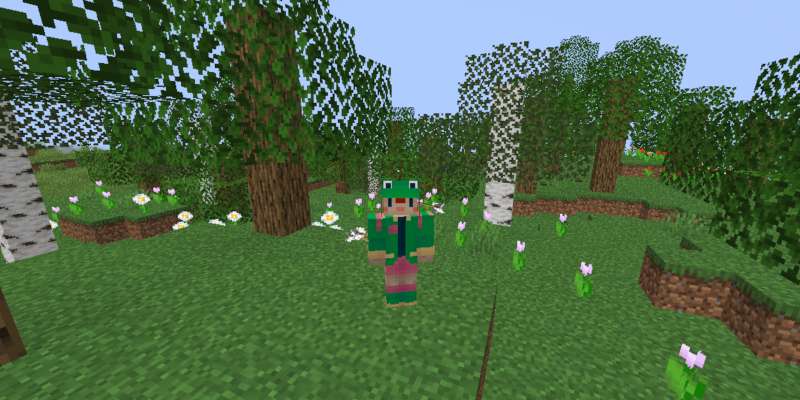
picture of the player in minecraft

So he drove out the man; and he placed at the east of the garden of Eden Cherubims, and a flaming sword which turned every way, to keep the way of the tree of life.

In Minecraft, you cannot see into where you came from. When you look around there is only more and more of the world as it is now.

Before, you lived in harmony with the cosmos. Now you are hungry and mortal - you have a hunger bar and hearts. You are clothed as Adam was, though your garments are not garments of skin as Adam’s were.

You are alone, representing archetypal man in the fallen state. Unless your friend joins… she could be Eve.

This Harsh World

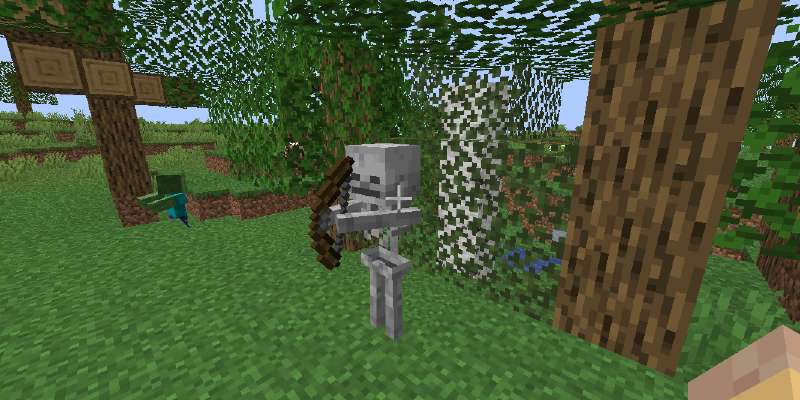
picture of skeleton monster in minecraft

And unto Adam he said, Because thou hast hearkened unto the voice of thy wife, and hast eaten of the tree, of which I commanded thee, saying, Thou shalt not eat of it: cursed is the ground for thy sake; in sorrow shalt thou eat of it all the days of thy life;

Thorns also and thistles shall it bring forth to thee; and thou shalt eat the herb of the field;

In the sweat of thy face shalt thou eat bread, till thou return unto the ground; for out of it wast thou taken: for dust thou art, and unto dust shalt thou return.

The ground is cursed. Undead creatures, zombies and skeletons function as the thorns outside of Eden, an image of death and disunity.

This general difficulty of life is experienced throughout the entire game. You cannot go anywhere without the possibility of monsters attacking you, falling into a pit or getting lost. Collecting resources is laborious.

The Good Earth

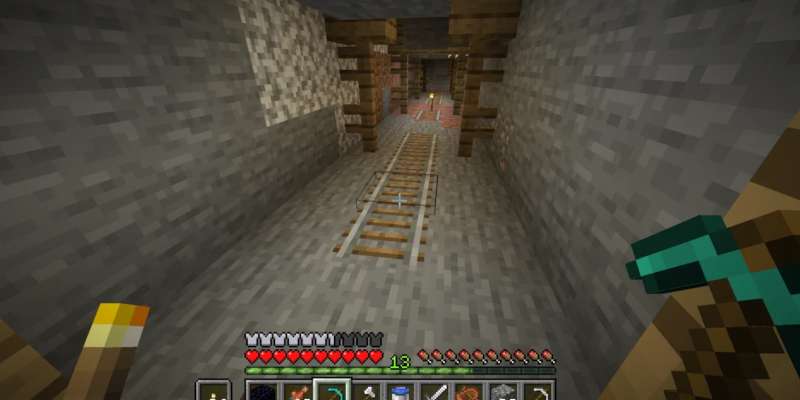
picture of going mining in minecraft

The Mine-Craft cycle, going downwards and returning upwards with (hopefully) something valuable, is a very primordial pattern. This pattern of venturing out into the wilderness and returning with treasures or wisdom, or taking something from below and bringing it up, is contained within countless stories. This symbolism can also be described as a movement into chaos, the unknown, and returning after renewed or with something new.

The exodus account, Joseph and Mary traveling to Egypt, Christ fasting in the wilderness 40 days, Jonah in the sea monster, Joseph taken into Egypt, Christ descending into death and resurrection, Daniel in the lion pit, and more all contain this theme of a move downwards/outwards into chaos and then a return with something valuable or some new experience. Note, I don’t mean to speak without respect, I am simply pointing out this basic pattern in how reality works.

Technology

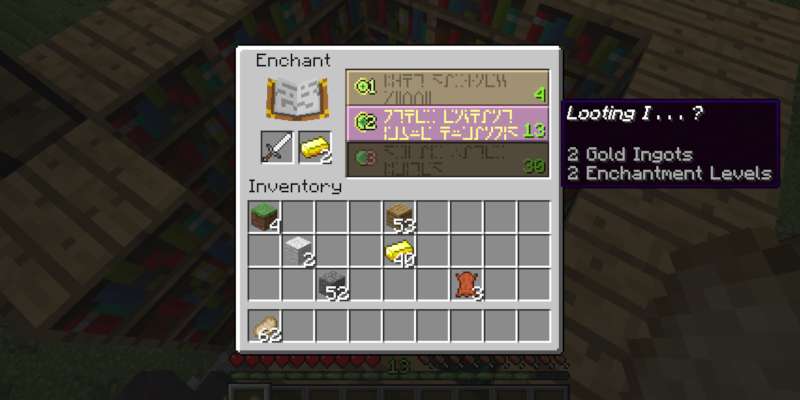
picture of enchanting a tool in minecraft

In Minecraft, because of your perilous state, you are always looking to use technology and knowledge to your benefit. You craft armor, tools, weapons, and build machines with redstone.

τέχνη, technology or knowledge, was historically understood to be connected with the path of Cain. Notice Cain’s descendants and the brothers of Enoch:

Cain’s descendants develop this culture while outside the presence of God:

And Cain went out from the presence of God, and dwelt in the land of Nod, on the east of Eden.

And so, we see technology is sort of an artificial crutch of humanity that we need because of our condition. In Minecraft, this very well describes how technology is used, even more so when we consider the less humane uses like animal auto-farms and villager segregation.

Gehenna

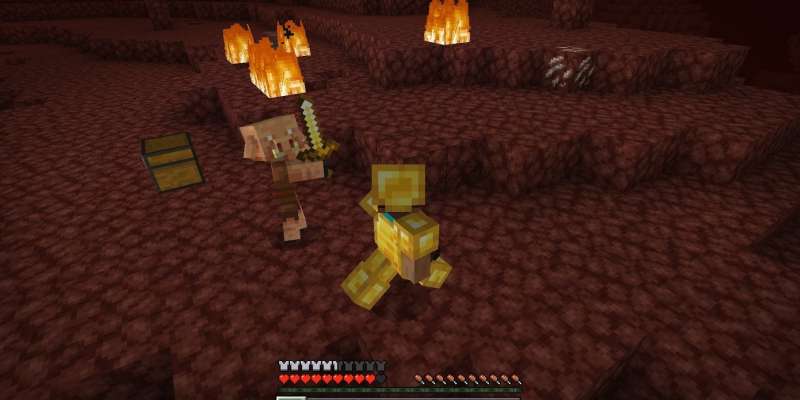
picture of The Nether in minecraft

The Son of man shall send forth his angels, and they shall gather out of his kingdom all things that offend, and them which do iniquity; And shall cast them into a furnace of fire: there shall be wailing and gnashing of teeth.

Without getting too far into the different words for death, destruction, condemnation and the correct understanding of this topic, we can easily see The Nether is influenced by various conceptions of hell, especially John Milton’s Paradise Lost (1667.) In that work, hell is a vast, fiery kingdom of despair.

Ever since Zombie Pigmen were reworked into Piglins, the idea of hell as a place for those full of vice is more apparent than ever. Piglins’ crazed obsession with gold and wealth depicts them as consumed by greed. They will attack you if you disturb their riches, as they are carnal, pleasure-seeking creatures.

You will also notice that some Piglin are zombified and their behavior is different. The other Piglins are not bothered by this - as selfish creatures, they do not care for their own.

There is also no water in the Nether, and none can be placed there:

...their fire shall not be quenched...

Until recently, there was no proper food in The Nether, only rotten flesh from slaying Piglin & friends. This was further emphasizing the The Nether as a place you absolutely do not want to be.

There are other aspects we could speculate about, like soul sand blocks having faces and how Hoglins are pigs (unclean beasts) and how beds explode (no rest.) By now, this should all be clear to you and I needn’t say more.

The Villagers

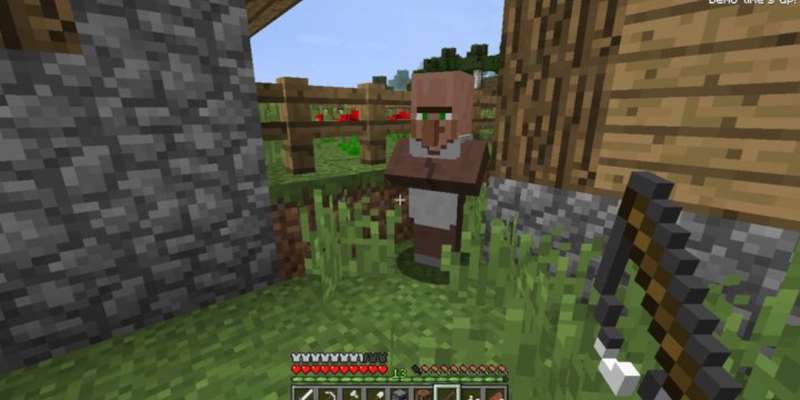
picture of a villager in minecraft

The symbolism of the villagers has always been interesting to me. As of now, my analysis is something like:

There is no way to understand the speech of villagers and we cannot speak to them. We can trade, though - and trading does not require much language.

I would say the villagers have their own religious culture. We see this with the Pillagers who have Totems of Undying which are semi-magical items that will save you (once) from death. Also, there are cleric/clergy villagers who live in church-like structures which is interesting. Is Steve the first foreigner they encounter, or no?

Perhaps the more peaceful tribes that Israel interacted with could be associated with the villagers, while the Pillagers more closely fit the Canaanites, Amalekites, Philistines, etc… the Pillagers seem like they could get up to some weird stuff in those d̶i̶d̶d̶y̶ woodland mansions!

There is more mythology we could explore like the Iron Golems. Early rabbinic texts describe creation of artificial men who are mostly human, but cannot speak. Later centuries would have more this stuff, even golems that specifically protect people.

You could also connect villagers with the other groups of people in Genesis lacking clear explanations for their origin. Where did the villagers come from? How do they understand their own history?

The End

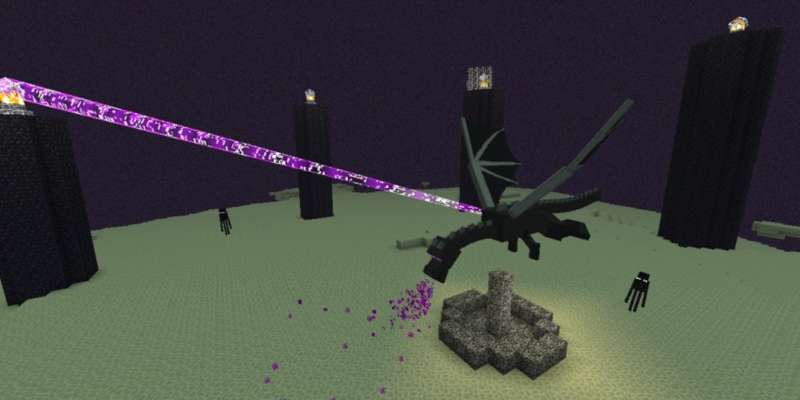
picture of the end dimension in minecraft

This one doesn’t fit our theme so well, but it is loaded with tropes and other mythologies that should be obvious, like slaying the dragon. Satan being cast into the Lake of Fire isn’t quite the same as killing the dragon and having it drop an egg.

picture of jordan peterson slaying a dragon
Clean your room bucko!

There’s a great fear that the small egg you hold could give birth to a terrible dragon. Like, little things you ignore could give birth to a large problem that will terrorize your village. Also, dragons are serpents first and serpents lay eggs. An egg is a single point but the serpent that comes from it is a shifting chaotic creature you cannot get your hands on. Serpents slither into your garden - but the Enderdragon is content to stay in its own realm. In fact, the Enderdragon does not bother anyone, so killing it always felt weird. Unless the Enderdragon is like… the dragon within… Dude…

Moving on. The fact that the Elytra is found in The End is fitting as it is The End of the Game and so, you have overcome the limitations that the game has imposed on you since the beginning, like gravity.

Wings are also related to being an άγγελος, angel, messenger, or bird, or a spirit (birds fly in the air > air and breath > breath = pneuma = spirit) so there’s definitely some ascension symbolism going on here…

And it came to pass, as they still went on, and talked, that, behold, there appeared a chariot of fire, and horses of fire, and parted them both asunder; and Elijah went up by a whirlwind into heaven.

That’s all until I think of more. Thanks for reading!

← Back

My Frozen Pizza Reviews

June 11, 2025

Hey all, I wanted to create a page where I review frozen pizzas I have eaten. I will try to be as fair as possible and consider the overall enjoyment of eating them. Unfortunately, I am a cheese purist so you will not find many reviews of meat pizzas unless my friends help review. Let’s get started!

Target Market Pantry Four Cheese Thin Crust Pizza

Overall score: 6/10

Target Four Cheese Pizza Box
Cooked Target Frozen Pizza

02/28/26 - Nothing bad to say about this one. Similar in flavor to Tombstone’s offering with the crust of the cheap Weis pizza. It was around $4 from memory. Not bad, pick one up.

Red Baron Four Cheese Pizza, Classic Crust

Overall score: 6/10

Red Baron 4 Cheese Classic Crust Pizza Box
Cooked Red Baron Pizza

12/31/25 - I purchased this pizza for around five dollars. I found it to be OK, similar to the Tombstone pizza but with less flavor. Also, the crust had a two-tier effect going on where the bottom was super crispy but above it was chewy. I think some cooking issues are due to my oven being weird but alas. The crust is thicker than most thin crust pizzas and the cheese is adequate but less than what you get with tombstone. I would rate it B+ and my friend would rate it B.

It does not have a cardboard flat underneath, comes in at 597g, more than the 526g Tombstone offers (I should start using my scale to check these numbers myself) and 16g protein for 1/4 of the pizza. I do appreciate them using real cheese where Tombstone has imitation mozzarella (shame shame.)

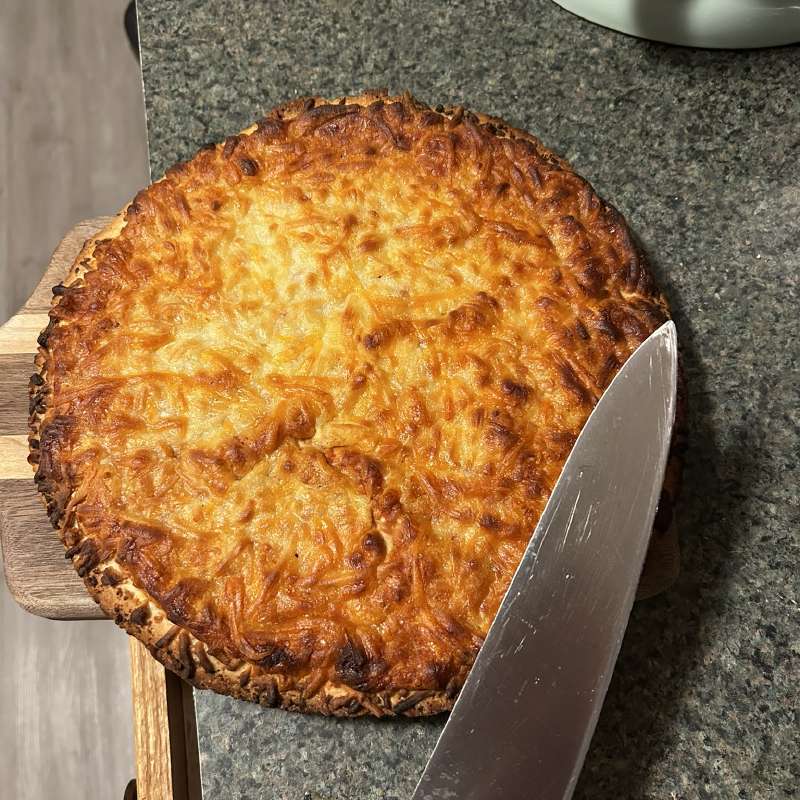
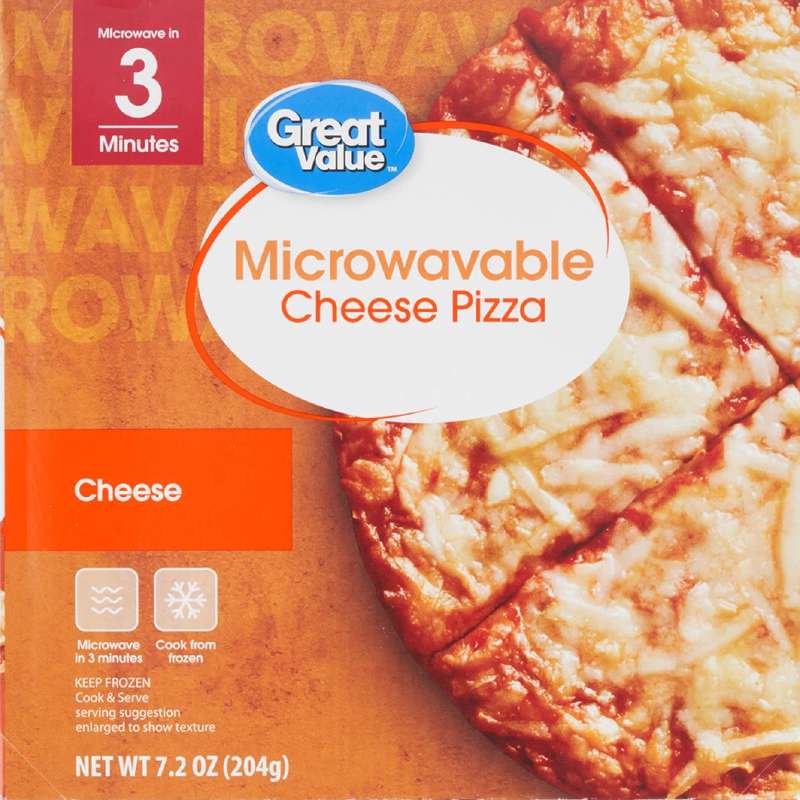
Great Value Microwavable Cheese Pizza

Overall score: 4/10

Great value small pizza box
Great value small pizza prepared

7/8/25 - I purchased this pizza for about $2 at Walmart. My expectations are very low for any of these small, budget-minded microwavable pizzas. As far as quality, flavor, size etc this is about the same as all the others, but IIRC I paid $1.77 + tax for this which is significantly cheaper than some of the others which can touch $3, especially if purchased at Dollar Tree. You get 204g of pizza compared to 547g with a ~$6 Tombstone pizza, so you receive around 37% of the big pizza for 1/3 the price. For this reason, I am going to rate this one slightly higher than I otherwise would.

The crust is predictably disappointing, no crispiness at all even when cooked in the oven per the instructions. I think cooking it at a higher temperature than 375f, maybe 400, could help. I left mine in the oven, turned off, for a few minutes longer.

If you bought several of these with different toppings you could have a nice feast for yourself without spending any more than you would for a single larger pizza. So, the value of this item is GOOD/OKAY.

bettergoods Italian Wood-Fired Margherita Pizza

Overall score: 10/10

Walmart margherita pizza box
Walmart margherita pizza kox

8/9/25 - I am increasing the score on this pizza because it has been consistently amazing. This is my go-to I could eat every day. It has the best crust you could ask from a frozen pizza. I am curious to try the other bettergoods pizzas.

7/7/25 - I purchased this pizza for about $7 at Walmart. The box art for Walmart’s bettergoods products is very appealing and I wonder if they are cutting into the Target audience. I have no complaints about the pizza - it is very similar if not identical to Wegman’s offering. The pizza is a good size. Not much cheese and topping distribution is a little off but these are forgivable. Good flavor and amazing crust.

Red Baron Deep Dish Singles Four Cheese Pizza

Overall score: 4/10

Red Baron pizza box

6/18/25 - I purchased this box of two for $4 at Dollar Tree for giggles. The crust/bread was very flaky almost like a biscuit - slightly concerning. My friend would rate it much more generously, 6/10, but for me this is 4/10 due to the poor value and strange crust. I am looking forward to trying normal Red Baron pizzas.

Screamin’ Sicilian Cheesy Garlic Loaded Breadstix

Overall score: 6/10

Screaming' Sicilian breadstick box
Screaming' Sicilian breadsticks

6/15/25 - These were very good breadsticks. I would rate them 7/10 if the quantity/size was greater - it’s only enough to feed one person or as a side for two people. Good flavor, good texture, nice box art. A little pricey at $7 considering how little you receive.

Tony’s Cheese Pizza

Overall score: 5/10

Tony's pizza cooked according to box with side of marinara
Tony's pizza box art

I purchased this because they were out out of Tombstone and I did not want to spend too much money. Tony’s was just under $4 which is cheap, slightly more than the store brand, so my expectations were low. I found it to be bland and lacking in cheese. I do not like tons of cheese on my pizza, I will occasionally scrape some off before placing in the oven, but this time I did not do that.

I would say it is better than the Weis in-store brand but only because the crust is thicker and less cracker-like.

Screamin’ Sicilian Thin & Crispy Cheese

Overall score: 7/10

Screamin' Sicilian cooked according to box with included spice mix
Screamin' Sicilian box art

I purchased this because of a friend’s recommendation. I think they would have chosen one of the “normal” pizzas instead of thin crust but no matter. This was more expensive, I want to say around $8. The most notable thing about it was the Italian spice packet which dramatically changed the flavor of the pizza. Overall, the pizza was flavorful, very flavorful if you use the spices. I have no complaints about it, but I would not make it my go-to as the spices could become overwhelming if consumed repeatedly.

Wild Mike’s Uncured Pepperoni

Overall score: 5/10

Wild Mike's Uncured Pepperoni box art

I purchased this pizza as a “fun” thing to try without high expectations. It was about $5. The crust was doughy and underwhelming but the cheese was very stringy for those who enjoy that. Pizza is small - there are better $5 options. It’s not terrible, it’s just not great.

Weis Five Cheese Thin Crust

Overall score: 6/10

Weis pizza brand box art

A classic. It is truly the cheapest large pizza that is edible. It is very similar to the Tony’s pizza, slightly better flavor but the crust is very cracker-like. A great vehicle to dump hot sauce on but not intrinsically good. Good for feeding the boys but not good to fill yourself with. Looks IRL just like the package.

Tombstone Original 5 Cheese

Overall score: 7/10

Tombstone pizza cooked slightly longer than directions call for
Tombstone pizza box art

Edit: I have gotten a couple of these with cardboard crust. I’m not sure if it’s me leaving it in the oven for final crispiness or a defect in the product but I am too scared to eat more to find out. For this reason, I am subtracting a few points.

Truly the Most Goated Frozen Pizza. Great flavor, great crust, great consistency, great appearance. Nothing but good to say about this pizza. They are very generous with cheese such that I remove some whenever I prepare it. I think they add an artificial cheese flavor for one of the 5 cheeses (I forget which) but at $5, I’m not complaining!

← Back

How to Delete Your Reddit and Discord Data

June 9, 2025

Just wanted to share Discrub for wiping your discord messages, DMs, etc. It does a good job but takes a long time to avoid being ratelimited. If you leave “channel” empty it will remove data from an entire server.

You can also request your data from Discord and submit that file to the extension - it’s not clear to me if these deletes messages from servers you are no longer in (that would be great.)

For reddit, I used Ereddicator. I was unwilling to pay for a service like Shreddit so I found this. It’s not quite as easy and requires setup. reddit->settings->preferences->apps and then you make a new app with type “script.” You put http://localhost:8080 as redirect url, copy the two strings of random letters, the first one is client ID, second one is your client secret. You modify this:

client_id = YOUR_CLIENT_ID
client_secret = YOUR_CLIENT_SECRET
username = YOUR_USERNAME
password = YOUR_PASSWORD
# Leave as None if you don't use two-factor authentication
two_factor_code = None

in reddit_credentials.ini in the same directory as the script, replacing the YOUR_CLIENT_ID etc with your info.

In the script directory, you need to run python3 -m venv venv, source venv/bin/activate to activate the python virtual environment, then pip install praw and tkcalendar so you have the dependencies. Then chmod+x main.py, run it, and when the pop up appears, check what options you want for what to delete/unsave/unhide etc. Before you run it you should request your reddit data from Reddit so that you won’t lose anything important. You can also whitelist subreddits to avoid deleting content submitted to those.

It will take a long time especially if you randomize your comments before deletion. I did this as I wanted to make sure there was no personal data remaining, but if this is not a concern you can just delete which will be much faster. I recommend doing a few passes with just delete to make sure you get everything, then do a pass to unsave/unhide stuff. Upvotes/downvotes are not worth doing as many older posts will be archived and you can’t change your votes on them so attempting to do so is a waste of time.

You should also attempt to remove your data from reddit mirrors here and here. If they respect your request or not, who knows.

← Back

Starting a Business is Easy

June 3, 2025

Title is an overstatement, but I wanted to lay out here what you need to start your own business. It’s not that hard, but difficult to understand if all you have access to is government websites with confusing layouts and pages. Of course things will vary - starting a restaurant may look much different from becoming a painter. This page will talk more from a contractor/cleaning person perspective.

Here is what you need:

That’s about it. There are a myriad of other things I could mention like someone to do your taxes/bookkeeper, equipment, but the rest I may not have enough experience to speak on.

Have fun!

← Back

My Experience Buying Stolen Minecraft Accounts

June 3, 2025

I was using a friend’s account to play on a friend’s server for a month or two. Well, I did have my own account back in the day. It’s just that I effectively gave it to a friend, and this was only complicated by the purchase of Mojang by Microsoft.

So, I decided to buy my own account. I did not want to pay $30 as I do not agree with any of the changes made to Minecraft since Microsoft, so I purchased an account from G2G’s Hellen Wong for $6. Good deal right?

After payment, they provide you login details to the Microsoft account and a backup email attached to it. When you log into the Microsoft account, it will ask to send a code to the backup email. The backup email is a Russian web service I have never heard of before. You login, find the code, paste, and boom - you’re into the Microsoft account.

What you will quickly realize is that these are compromised accounts. On the first account I purchased, the account was a polish user. Their home address was still there, a few devices were logged in, and there was some saved web activity. On the second Italian account, there was even a credit card saved.

What you do next, I would learn, is to change as little info as possible while maintaining access. If you change too much, Microsoft will realize what has happened and lock the account and you’re out six bucks. This means you change the backup email (seller instructs you to not use a gmail account - maybe google and microsoft work together?) in my case I used a proton email. It will probably ask to add a phone number to the account, you can add one but it’s best you remove it after logging in so the number is not “burned” if the account is locked. You remove all devices attached to the account, revoke all apps that have access to the account, change password, and make a new recovery code. Don’t change the name, date of birth or home address.

If you can deal with it, there’s no reason to change the language either. Use your browser’s translate or Google translate. Take screenshots of all of the original information on the account before changing anything. If the account is locked and you go through the recovery process, Microsoft will ask you for all that info and more.

Surely Microsoft can fingerprint your device but they don’t visibly save location data to the account from mobile logins, probably because IP alone is insufficient to geolocate users. Especially mobile IPs which are often changing by chance or user choice (iCloud private relay, VPNs, etc) Therefore, use of a mobile internet connection/device without a VPN could be a safer way to interact with these accounts.

Conclusions

This is a bad idea and it’s a harmful market. I was against the merging of Minecraft accounts with Microsoft accounts and this is a great example of why. Instead of a market of compromised Microsoft account with tons of personal information being sold, you would lose a single “copy” of Microsoft. Either Microsoft needs to dramatically step up their account security or separate the two services because it is ridiculous how people are being taken advantage of.

I felt bad after I participated in this scheme, so I emailed what I thought may be the original owner of the account and offered to give it back for free. I never heard back, but it’s possible the email on the account came from the russian seller and so there would be no way to contact them except by mail.

If I had to guess, they are getting their account login stolen by bad Minecraft launchers or other third-party services that invite them to log in. The bad guys then change the backup email, but nothing else (they are actually really lazy, it’s surprising more users don’t get their account back prior to it being sold) and then you buy it.

← Back

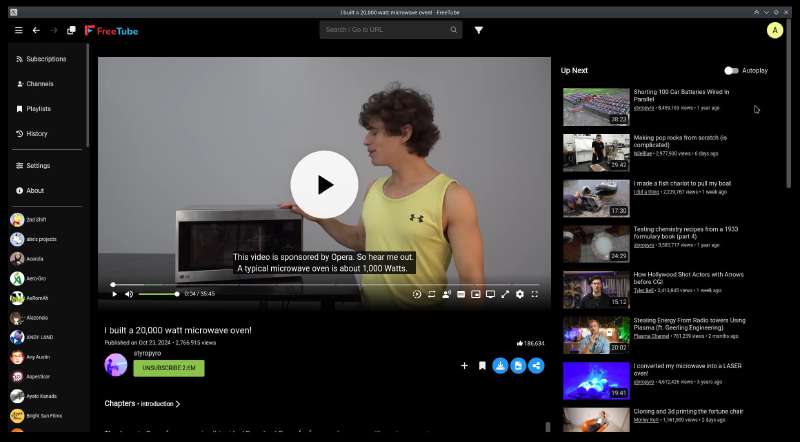
Browse YouTube on Desktop without a Web Browser

November 9, 2024

Screenshot of FreeTube homepage

Step one: install FreeTube and import your subscriptions if necessary.

Step two: install Privacy Redirect extension, go into advanced settings -> Invidious and check “use FreeTube over Invidious when possible.”

If you’re on GNU/Linux and it doesn’t automatically open YouTube links in FreeTube, you probably need to make an apparmor profile:

sudo cp /etc/apparmor.d/brave /etc/apparmor.d/freetube

sudo vim /etc/apparmor.d/freetube

Or, replace vim with nano, or open the text file in a graphical text editor with elevated permissions. Then, paste:

# application a name instead of having the label "unconfined"

abi <abi/4.0>,
include <tunables/global>

profile freetube /user/bin/freetube flags=(unconfined) {
  userns,

  # Site-specific additions and overrides. See local/README for details.
  include if exists <local/freetube>
}

Then run:

sudo chmod 4755 /opt/FreeTube/chrome-sandbox

to set the appropriate permissions.

Notice the user/bin/freetube in our apparmor profile. This is the path to the FreeTube executable. If you want to know if this is correct on your system, just run:

which freetube

Essentially, we copy the apparmor profile from chrome/chromium/brave (adjust the “brave” in the first command accordingly) and tweak it to point to the FreeTube binary, giving it full system access. The last step is to reload AppArmor:

sudo systemctl restart apparmor.service

← Back

Soulseek and Nicotine+ - Underground Music Network

April 11, 2024

I would like to recommend software I’m using to share music, books, screenshots of information I find useful, wallpapers and other stuff online.

The Soulseek network and application were released in 2001. I am too young to have experienced Limewire but I did grow up with thepiratebay and torrents. From what I understand, Soulseek is similar to Limewire and less like torrents, because the files are shared directly from uploader to downloader with no “seeding”/sharing of data from peer to peer.

The advantages of Soulseek include:

There is an official Soulseek client but I would recommend Nicotine+ for its stability, features and accessibility. Simply create a username and password, configure “shares” or folders to make available and let it run! It should automatically open ports on your router with uPNP but it depends on your router(configuration.) Note that this software requires your computer to be online to share files, so it is best used with a desktop, server or other computer that you can leave powered on. This isn’t mandatory and downloads will resume when possible, but I’m not sure if your files will be visible for download if you’re offline.

The program does not recommend content to you so it isn’t very good for discovery. There are filters you can apply to a text search and a watchlist but there are no thumbnails, images or album art previews so you will have to download media to inspect it.

← Back

Password Syncing Between your non-Safari Desktop Browser and iPhone

December 17, 2023

I am not your average internet user.

That’s not to say that I’m special in any way. I only do a few things differently than most people:

The problem(s) at hand:

It all comes down to a bug in Brave on iOS, or maybe a limitation placed on it by Apple. Which I am not sure, but probably Brave. Brave on iOS has issues with its password autofill functionality. For some reason, it does not present a password-fill prompt using passwords stored in Brave’s own Sync database. [1] [2] [3]

Filling the first username/password combo saved is not enough! I have a feeling it may do this, but this does not help when you have multiple accounts with one service.

What I think needs to happen is for Brave to expose its passwords to iOS like Bitwarden and other password managers do.

Anyway, the problems:

The solution

Bitwarden is a semi-open source password manager. Parts of it are licensed under AGPL and some are licensed under their own Bitwarden license. From my limited research into it, it acts in a similar way to MEGA’s license, that basically they own any code contributed to it and can re-use that code in a proprietary product. So, it’s not ideal, we would prefer a completely GPL or AGPL software, but I think it is OK for my usecase (I am using iOS, after all…)

I installed the app on my iPhone, re-enabled saving passwords and selected Bitwarden as the password provider. Now, Brave has an iOS-provided passwords button when going to a website which pulls from Bitwarden.

On my laptop, I install the extension. It’s a little bloated and takes a moment to open up when clicking the extension icon. Thankfully, you can bind autofill to a key command (I’ve chosen Alt-P) and also a key command for opening the extension’s window (I’ve chosen Alt-Shift-P.) By hitting the autofill key multiple times you can cycle between various accounts you have saved. Handy!

I still don’t like password managers and I would still prefer to use a browser’s native syncing functionality but this is the best solution I’ve found unless I buy a macbook.

← Back

Sunshine and Moonlight - Airplay for your Linux Desktop

May 14, 2023

Subject

I noticed a feature in AMD’s software called AMD Link. This is their in-house equivalent to Steam Link or Nvidia’s offering. I have never bothered with any streaming software as I never had an ethernet connection to any of my computers up until yesterday. Because it was so easy to setup and included, I gave it a try! It works OK, there is a mobile app available on iOS. But there is no Linux/Desktop client available for AMD Link, it’s targeted primarily at phones.

This is where Sunshine comes in. Moonlight is an open source implementation of NVIDIA’s GameStream protocol, and Sunshine is a host software for it. So you install Sunshine on your beefy gaming PC and any Moonlight client you like on your phone/PC/whatever. This is what’s awesome - there are Moonlight clients for AppleTV, for Linux desktop and for iOS, for the WiiU and many other devices.

The setup for Sunshine is simple. On Windows, you need to add a firewall exception and enable the sunshine service. 4 total commands that you copy-paste into CMD. All the clients are very intuitive and should require little work to connect.

My experience so far is that it is OK for games, maybe as good as one could expect. The gaming PC is connected via ethernet and my thinkpad is connected over 5ghz Wifi in the same room as the router. The stream resolution is 720p, 60fps. It is not, and likely never will be, as comfortable as playing on the host machine, at least for FPS games, but would be completely acceptable for games that don’t require low latency.

This brings us to the title: Airplay for your Linux desktop. I see this technology as a perfect solution for a problem that has never been handled well by anyone except Apple - desktop streaming. Sure, Google has their Chromecast and there are a few opensource tools that work with it. Casting to Miracast devices was also added in the GNOME project recently (Miracast is usually included in Smart TVs…) but none of them are simple and as cross-platform as Sunshine/Moonlight are.

With Moonlight installed on my AppleTV and Sunshine on my computers I can wirelessly cast my screen to my TV. Sweet!

Background

I recently assembled a computer for playing games with my friends. I’ll tell you briefly about that.

I’ve known about the “Optiplex trick” for a while now. Basically, you purchase an old Dell Optiplex tower and install a graphics card in it. This nets you some serious performance for not much money. I scored an Optiplex 3020 with a quad-core i5 4570, 8GB RAM and a 2TB HDD for $60 shipped. Then I waited patiently and bid on an AMD RX470, which I won for $50 shipped.

There are some other expenses that weren’t totally neccesary. I purchased a better $30 CPU cooler (item title: “ID-COOLING SE-914-XT-Basic CPU Cooler 126mm Height CPU Air Cooler 4 Heatpipes CPU Air Cooler 92mm PWM Fan Air Cooling for Intel/AMD, LGA 1700 Compatible”) a $12 arctic 140mm fan, a 5pin to 4pin adapter to deal with Dell’s weird choice of fan header and a PWM fan splitter. So the cooling uses the original CPU cooler header on the motherboard which is then adapted to standard fan plug, then split to go to the cooler and the 140mm case fan.

It runs games very well.

← Back

The Videogames of My Childhood

February 3, 2026

Minecraft

screenshot of Minecraft

I have a long history with Minecraft. It started with trying the demo on the family PC. It was quite old and the game would lag, distorting sounds into “machine gun” style clicks that had my parents worried what I was playing.

I spent many hours playing Minecraft when I should have been doing homeschool work. I also played with my friends. The first server was Fightcraft, a survival server with a plugin that added an economy and other gameplay features. I used Nodus on this server, I think I was banned eventually.

I also spent many hours on 0tx and one other now-defunct server I can’t remember the name of. 0tx was really fun because strength and speed potions were overpowered and easy to make. The server would let you do “/kit starter” which would give you some cruddy armor and tools. You would drink the potions and use this kit and then grief other people’s fights in the community “flatgrass” battle area. You could get “gapples” this way, back when they were uncraftable. Higher tier players could also use the /kit command to get iron or diamond armor so they had an advantage but you could get stuff and enderpearl or warp away sometimes.

The second server was my first time making an “alliance” with anyone online. My brother and I had our bases in another player’s protected region, his name was Seannyboy26.

Smash Bros Brawl, PM, Melee

screenshot of smash bros

Where to begin? If there’s any game that I have the most history with, it’s Smash Bros. As young kids, we weren’t allowed to play Brawl because our parents feared it would create violent behavior in us. Not a completely unfounded fear, but eventually they compromised and let us play it as long as we picked the non-human characters.

I’ve spent hundreds if not thousands of hours on different Smash Bros titles. It was the game my friends and I all had in common. We took it seriously, getting salty when we’d lose. Went to a few local tournaments.

Characters I’ve mained:

For the last year or two, I’ve been playing a lot of Melee online with Slippi. I like it because it requires minimal setup, it’s free, the game is old (easy to run) and I don’t have to worry about game updates mucking up my characters. Also it’s really easy to run on Linux unlike most PC games.

Pokemon Pearl, Platinum

screenshot of pokemon

Pokemon Pearl my beloved. Another early Nintendo game for me. I had Pokemon Pearl and my dad had Diamond. Another game with great mystery. I loved reading the Gamefreak guides at the bookstore and learning all about the map, looking for things I hadn’t found yet.

Eventually I got into Action Replay and R4 so I stopped playing the game for what it is and got into modding, but that’s another story. I did play through the entire game.

The music and vibes are immaculate.

Mario Kart DS, Wii, Doubledash

screenshot of mario kart

Mario Kart DS might be the first Nintendo game I ever played. When I was like 12 my dad came home with an old DS “phat” and Mario Kart DS.

What a great game given the time and handheld nature. The unlockable characters had such mystery to them like ROB and Shyguy. I would only see them online as I was too young to Google how to unlock them.

Wii was also a blast, amazing aesthetics and music. I really liked the online even though it was ravaged by hackers. I found gamecube controllers to feel wrong with this title even though they are technically compatible (rare Nintendo W.)

I played double dash around the same time. Another great title with mysterious unlockable characters, fun shortcuts and great mechanics. The most fun way to play was… not with two people on one kart. That way you get full control and can punch people/use items all on your own. It is a good way to play with a younger kid and I’m sure I co-oped with my dad.

Mario 64 DS, Mario Sunshine, Mario Galaxy

screenshot of mario sunshine

As a pre-teen I spent many hours on Mario 64 DS. It felt like a sandbox to me, like there was always more to explore and more easter eggs and hidden areas to find. The surreal nature, though less present in DS compared to the original, still existed and was influential on me. Mario 64 has a cult following so there’s not much I can say that hasn’t been said already.

I played Mario Sunshine when I was a bit older but still young. Different vibes. Mario 64 to Sunshine is a serious culture shock. But much of the same mystery - seeing islands in the distance and wondering if there was some way to get there, underground sewer systems you could run around in, and graffiti everywhere. A standout performance from Bowser Jr.

I really liked Yoshis and the different colors you could get by eating fruit, and the FLUDD nozzles.

Mario Galaxy was the first game I played on the Wii. This was the game that was on display to sell the console. This game feels very different from 64 and Sunshine as it’s much more puzzle heavy and closer aesthetically to modern Mario. You do have series-exclusive enemies and items but it is all polished and accessible.

The crossover of having Rosalina in this and Mario Kart Wii was neat. Nintendo was making a strong effort to push this new princess.

Somehow I have fewer fond memories of Galaxy than 64 or Sunshine but still a must-play game.

Mario Bros Wii, Mario Bros DS

screenshot of mario bros DS

Mario Bros Wii was so much fun. Great music and fun times with friends, avoiding their respawn bubbles and playing on the lava rollercoaster level.

I spent similar amounts of time on Mario Bros DS. The DS download play feature was great. We forget how good we had it - LAN multiplayer and only one person needed to own the game.

Pikmin 1, 2

screenshot of pikmon boxart

I spent many hours exploring Pikmin. I did well at the game from a young age, playing through and unlocking the different types of Pikmin. That was my favorite part, the mystery of different Pikmin types.

One time I made the different Pikmin out of clay. This was before Nintendo toys were everywhere. I bet there’s official plastic Pikmin toys now.

My first exposure to it was playing co-op with my cousin. I think co-op or versus came in 2? I don’t remember.

Spore Creatures, Spore

screenshot of spore game

Spore was a large part of my childhood. My friend introduced it to me. The game does not support real co-op but you can find other player’s creatures in the different gameplay stages.

Spore is still playable. There are some bugs with the Sporepedia and online functionality but surprisingly, EA resurrected the servers and they are still online.

Burnout Paradise

screenshot of burnout paradise

I loved Burnout Paradise for its open world. I spent hours driving around the city, going through paint shops and doing tricks on the beach ramps. I did play online once with my cousins and remember exploiting this glitch I found where you could slide sideways into a ramp and the game would teleport you away after a moment. They were flying towards me and then boop I disappear. This game is still available on PC though I doubt I would appreciate it as much.

Commanders: Attack of the Genos

A story and multiplayer game like Advance Wars. I don’t remember much of the story but I did like the characters, especially the androgynous, secretive Raven.

screenshot of commanders game

I remember my dad, his brother and father playing this one online. I really like the music, art style and explosions when units are blown up. Still playable on Windows if you download the torrent/repack/crack from Rutorrent, but I wasn’t able to get audio working in WINE.

Viva Pinata

This was an Xbox 360 game which allows you to cultivate a garden. You have to arrange it in a certain way to encourage creatures to come into and stay in the garden. There are a few Pinatas that need to be hunted to unlock other Pinatas which was always a moral dilemma. There are “evil” dark pinata that come out at night and hunt from your garden. If you allowed a certain pinata to be hunted in a certain way, you could tame the evil dark.
screenshot of viva pinata
← Back

How I Joined a Private Tracker

January 27, 2026

If you’ve been on the internet for a decade or so, you’ve probably heard of torrents. Maybe you used The Pirate Bay or KAT or remember when uTorrent wasn’t malware.

I grew up post-internet but prior to modern streaming services really taking over. I was never a huge fan of torrenting but I did occasionally and remember uploading my own torrent to TPB.

Today, torrenting has fallen off. With the popularity of Steam and streaming services, and the disposable “you will own nothing” mentality, nobody really cares. Torrents of films only a few years old have 0 seeders and there’s a bajillion mirrors of torrent sites with no obvious way to tell which one you should use first.

What made me dive into the world of private trackers was this problem. I am a fan of preserving media and I like offline, no-strings-attached access to media. I don’t want to log in, I don’t want to block ads, I don’t want to enable DRM, etc.

So I researched and came upon Avistaz. I had actually seen the ninja icon years before but wasn’t willing to jump through hoops to get in. It was risky because I didn’t know if they had what I wanted and the service is completely locked away from public view. Luckily, they’re advertising that if you pay for a seedbox, you can get in!

Screenshot of Avistaz private notice

I looked at the two options and decided RapidSeedbox was better. They hide the cheapest plan during purchase so you have to click around. In total I paid $6 with PayPal. Then I disabled automatic PayPal billing as I only want to pay for one month. Care must be taken to not actually cancel the service as you’ll get banned if you do that.

I tinkered with the different torrent clients they offered and settled on Deluge because it appeared the most functional. Some more Googling indicated one needs to disable Local Peer Discovery, DHT and PEX for private trackers. The transmission web interface wasn’t letting me into the settings menu but I had no problem with Deluge. I also realized if I wanted to move this whole setup locally when the month ends, it makes sense to run two different clients instead of two transmission instances so that I don’t mess anything up.

Screenshot of RapidSeedbox homepage

OK! What next?

The internet tells me I need to look for “free download/free leach” torrents to build “ratio” on the tracker. So I started out by downloading some awards show which I have no interest in. The reason I chose this was that the seeders/leachers ratio was good (not 1:1, but not extreme either) and it was a substantial size, 130GB.

Screenshot of Avistaz search

Basically, we want to become a seeder as fast as possible and start seeding to the other leachers to build our own ratio. Everyone else wants to do this as well, especially with new releases so you will see many torrents like 13 seeders, 1-3 leachers. These are bad because we won’t have much opportunity. We should also avoid the “1 seeder 14 leachers” type as this could be a trap. It could be the 1 seeder does not have the entire file, his internet is terrible or he’s intentionally trolling by setting his upload speed to zero. If we start downloading and then stop we could be punished with a Hit and Run which is bad for our account.

After a while, this random torrent finished. Even as I was downloading, my client seeded to another user which made my ratio in the thousands (free download = 0 download.) I decided to look for the kdramas I actually wanted and to my surprise, they were all free download! I sorted by size and read through comments to make sure each torrent was the best of its kind. Because I care about preservation, I want the highest quality, which is either going to be a BluRay raw (includes disk menus,) a remux (probably includes BluRay quality footage,) a Web DL/Rip or a DVD rip, in that order.

Apparently remuxes can offer better quality than even BluRays because people painstakingly piece together the best parts from multiple sources. If one scene looks better on a DVD release, or the subtitles are better on a streaming service, they can put these together to create the “ultimate” viewing experience. This isn’t always the case and some remuxes can just be the BluRay footage stripped of padding and disc menus/features/other unneeded content which greatly reduces the filesize and complexity of playing the media.

As of writing, 3 out of 4 of the dramas I wanted have finished downloading. The last one is a hefty 100GB BluRay rip with one seeder that seemingly does not want to seed to me. I still appreciate him for keeping the torrent alive even if it takes a year to download. There are a few other users who pop in and out which seed but not the 8MB/s download speed I would like. This last one is a dying torrent so seeding it gives you “double upload” which encourages those who have it to share it. By uploading, you’re increasing your buffer which is like an allowance of file size you can download before your ratio goes down.

Screenshot of torrent users
Screenshot of torrents

Moving them off the seedbox is a little cumbersome. I mounted the seedbox drive with SFTP which is supported in KDE’s Dolphin file manager with no additional tweaks. Even though RapidSeedbox provides root access, Dolphin wasn’t letting me open a terminal in the directory so I had no way to run md5sum on the files there to compare with the ones I copied to my machine. There’s probably some way to do this I just haven’t bothered and as long as the size matches on remote and local, it probably copied OK.

My end goal is to make the files on these private trackers accessible on public trackers. I have to be careful not to share the original torrent file or magnet as it is uniquely tied to me and would get me banned for doing so. I need to make a new torrent with the same content and without the private tracker added.

Provided I don’t make any mistakes, I now have 83GB of buffer, highest possible ratio and I’m on track to gain “member” status which would allow me to… download torrents that are brand new. I don’t really care, but it’s cool that I did it I guess.

Screenshot of my avistaz homepage

So what’s the verdict? It’s great and I really like it. I will need to log in once every n days and download something every n days to prevent my account from being deleted, so it does take up a bit of headspace to keep the setup alive, and moving everything to my desktop might be fiddly. But if you can get into a private tracker without too much trouble and you want to propagate or collect media, this is the way to do it.

Update… moving files to my desktop was easy. I did a little research and found that differing filesizes from the SFTP mount and my local HDD is apparently not a problem as long as Deluge checks it and it seeds fine after. It is annoying that the cheap plans do not offer SSH access to the seedbox so there’s no way to get md5sums of the remote files, nor use something like rclone/rsync for faster and safer transfers.

The process is to pause the torrent on the seedbox, add the torrent file to local, let it check/start seeding, then delete/remove the torrent on the seedbox. In this way, you avoid seeding from two places at one time which is prohibited by the rules.

I am a little nervous about using this random old hard drive so I will back up these dramas to my yandex disk.

← Back

Asian Dramas I Recommend

January 24, 2026

Hi, I’m going to list the K/J dramas I have watched and tell you a little about them! The order they’re in is roughly what best to least best. All of these have the same trope of “girl pretending to be a boy” which is a meme I enjoy.

If you are going to watch on Viki, I recommend installing uBlock Origin for Chromium based browsers or Firefox based browsers and enabling all filters. Viki still locks HD play behind a subscription but surprisingly, uBlock blocks adds on Disney+ and here.

Screenshot of uBlock settings

Hana-Kimi / For You in Full Blossom - Ikemen Paradise

Promotional material for Hana Kimi

“This hilarious comedy follows the chaos, troubles, and friendship at a boys’ boarding school after a girl disguised as a boy joins. Ashiya Mizuki has just come back to Japan from California where she was raised. She fell in love with Sano Izumi, a hopeful high jump hero, who has quit after an accident. As she wants him to go back to the sport once again, she enters the same high school as a boy! With short hair, a flattened chest, and lowered voice, she starts sharing the same room with Sano.”

This is my favorite kdrama. Because of its release date in 2007, it has that warm feeling only older media can have. Very cute, entertaining and engaging.

base64
bWFnbmV0Oj94dD11cm46YnRpaDpiZmQ4ODAxYWFhNDRmNWZiNWQ0YmUzNjg4M2YzZTEwMjMyOTk1NGZlJmRuPSU1QkpEcmFtYSU1RCUyMEhhbmF6YWthcmklMjBubyUyMEtpbWl0YWNoaSUyMGUlMjAlMjhIQU5BLUtJTUklMjklMjAlMjgyMDA3JTI5JTIwQ29tcGxldGUlMjAlMjgxMDgwcCUyMFdFQi1ETCUyMEFBQyUyOSZ0cj1odHRwJTNBJTJGJTJGbnlhYS50cmFja2VyLndmJTNBNzc3NyUyRmFubm91bmNlJnRyPXVkcCUzQSUyRiUyRm9wZW4uc3RlYWx0aC5zaSUzQTgwJTJGYW5ub3VuY2UmdHI9dWRwJTNBJTJGJTJGdHJhY2tlci5vcGVudHJhY2tyLm9yZyUzQTEzMzclMkZhbm5vdW5jZSZ0cj11ZHAlM0ElMkYlMkZleG9kdXMuZGVzeW5jLmNvbSUzQTY5NjklMkZhbm5vdW5jZSZ0cj11ZHAlM0ElMkYlMkZ0cmFja2VyLnRvcnJlbnQuZXUub3JnJTNBNDUxJTJGYW5ub3VuY2U=

You’re Beautiful

Promotional material for You're Beautiful

“The management company of the idol group A.N.JELL insisted on adding a new singer to the group as the lead vocal, Tae Kyung’s voice was hurting. However, the new member, Mi Nam, had to go to the States to repair a botched eye job just before signing the contract. His agent came up with the idea of having his twin sister, Mi Nyu, to stand in for him and pretend that she was her brother. The two of them grew up in an orphanage and Mi Nyu, who was all set to become a nun, agreed to this charade as she didn’t want to spoil her brother’s chance of fame which would make it easier to look for their mother.”

This drama is very high production value. I do wish there were more unique tracks, they use the main song over and over. It is a little bloated, maybe half an hour of content could be cut out.


To the Beautiful You

Promotional material for To the Beautiful You

“Jae Hui moves to Korea to help Tae Jun restart his high jump career after he announces his retirement. Despite his closed heart, Tae Jun begins to open up to Jae Hui. Meanwhile, Eun Gyeol struggles with his feelings for Jae Hui, who is pretending to be a man. The student-athletes bond during training, focusing more on camaraderie than competition.”

I think the male lead in this one is a little boring/apathetic but the girl is great and the show is cute.


Coffee Prince

Promotional material for Coffee Prince

“After getting an ultimatum from his grandmother, Han Gyeol takes over a rundown old coffee shop, later renamed “Coffee Prince,” to prove that he’s capable to both his grandmother and Yu Ju. In order to attract female customers, he only hires good-looking male employees. Eun Chan, desperate for money, continues to hide her gender to get a job at the Coffee Prince.”

This one has a fair bit of filler, mostly scenes of the girl crying but it is certainly a classic. The secondary male interest is pathetic and never makes a move, is sneaky so I don’t like him much.


Lie to Me

Promotional material for Lie to Me

“Gong Ah Jung, a level 5 Ministry of Culture official, gets entangled in a web of lies when she mistakenly lies that she’s married to Hyun Ki Joon, a noble hotel manager from an affluent family. Their relationship is further complicated when Ki Joon’s ex-fiance and a close friend of his brother’s, Oh Yoon Joo, reappears in his life.”

This is a good drama but halfway through they switched the writer which wrecked it. It’s still viewable but the ending doesn’t make much sense and is overall unrewarding. Good characters, slightly stressful due to the ex-fiance always being a brat.


More to be added later!

← Back

File Backups with Yandex Disk & Rclone

December 27, 2025

I’ve been using Yandex Disk as my cloud file storage because it is cheap. As of right now, they’re offering 1TB for $1.90 a month. I think I paid around $12 for 1 year of 1TB storage.

That’s about all it has going for it. The clients are… ok. It’s missing many features of mega.nz which I liked and it has no official GNU/Linux GUI client. I don’t trust them with personal info, in fact I don’t trust any cloud service with really personal info besides iCloud.

Luckily, we can backup to it with rclone and encrypt private info on the fly. We won’t be able to view encrypted data on the web, but that’s a tradeoff as again, this is for backups.

There are many rclone tutorials out there so I won’t be covering how to install or configure other than to tell you what my setup is.

I have yandex configured as a remote, and then a crypt which points to the remote. I then have a systemd “yandex-media-sync.timer” which will run the backup script every so often.

I was having issues with random files not syncing and 404s/409s. I think I’ve finally figured out that the problem is not characters in filenames but rather long filenames which are extended further when encrypted.

“The crypt remote (with default filename_encryption = standard and filename_encoding = base32) encrypts filenames to protect them, but this encoding expands the length significantly…”

“Base32 encoding has an expansion factor of about 1.6x (every 5 bytes of input become 8 characters of output). Your filename is 198 characters long (all ASCII, so 198 bytes). After encryption and base32, it becomes approximately 320 characters long (ceil(198/5) * 8 = 320).”

“Yandex Disk has a filename length limit of 255 characters (or bytes, depending on encoding—it’s a common filesystem-style restriction).”

You can use a simple script to find and trim the names of these files. I trimmed to around 130 characters.

grayson@libre  ~/.local/bin  cat charlimit.sh
#!/bin/bash

# Default to interactive mode
interactive=1
limit=0

# Parse arguments
while [[ $# -gt 0 ]]; do
case $1 in
-n)
if [[ $2 =~ ^[0-9]+$ ]]; then
limit=$2
else
echo "Error: -n must be followed by a positive integer."
exit 1
fi
shift 2
;;
--no-interactive)
interactive=0
shift
;;
*)
echo "Unknown option: $1"
echo "Usage: $0 -n <limit> [--no-interactive]"
exit 1
;;
esac
done

if [ $limit -eq 0 ]; then
echo "Error: Must provide -n <limit> where <limit> is a positive integer."
exit 1
fi

# Find all files recursively
files=()
while IFS= read -r -d '' file; do
files+=("$file")
done < <(find . -type f -print0)

# Arrays to store files to change and their new paths
to_change=()
new_names=()

for file in "${files[@]}"; do
base=$(basename "$file")
if [ ${#base} -gt "$limit" ]; then
dir=$(dirname "$file")
if [[ $base == *.* ]]; then
ext="${base##*.}"
name="${base%.*}"
max_len=$((limit - ${#ext} - 1))
if [ $max_len -lt 1 ]; then
continue  # Skip if can't trim reasonably
fi
new_base="${name:0:$max_len}.${ext}"
else
new_base="${base:0:$limit}"
fi
new_path="$dir/$new_base"
to_change+=("$file")
new_names+=("$new_path")
fi
done

count=${#to_change[@]}

if [ $count -eq 0 ]; then
echo "No files found with filename length over $limit characters."
exit 0
fi

if [ $interactive -eq 1 ]; then
# List potential changes
for i in "${!to_change[@]}"; do
old_base=$(basename "${to_change[i]}")
new_base=$(basename "${new_names[i]}")
echo "$old_base > $new_base"
done
echo "$count files would be changed."
read -p "Confirm changes? (y/n) " confirm
if [[ ! $confirm =~ ^[yY]$ ]]; then
echo "Aborted."
exit 0
fi
fi

# Perform renames
for i in "${!to_change[@]}"; do
if [ -e "${new_names[i]}" ]; then
echo "Skipping $(basename "${to_change[i]}") because $(basename "${new_names[i]}") already exists."
continue
fi
mv "${to_change[i]}" "${new_names[i]}"
if [ $interactive -eq 0 ]; then
old_base=$(basename "${to_change[i]}")
new_base=$(basename "${new_names[i]}")
echo "$old_base > $new_base"
fi
done
cat ~/.config/systemd/user/yandex-media-sync.service
[Unit]
Description=Sync files and folders to Yandex Disk with rclone
Wants=network-online.target
After=network-online.target

[Service]
Type=oneshot
ExecStart=/home/grayson/.local/bin/yandex-sync.sh

[Install]
WantedBy=default.target
grayson@libre  ~/Documents  cat ~/.local/bin/yandex-sync.sh
#!/bin/bash

# Set up environment for notifications
export DISPLAY=:0
export DBUS_SESSION_BUS_ADDRESS="unix:path=/run/user/$(id -u)/bus"

RCLONE_OPTS=(
--stats=1m
-v
--create-empty-src-dirs
--fast-list              # Use faster recursive listing
--ignore-errors          # Don't stop on delete errors
--delete-during    # Delete files as it syncs, not after
)

BACKUPS=(
"$HOME/Documents|yandexremotecryptcompress:documents2"
"$HOME/Music|yandexremote:music2"
"$HOME/Pictures|yandexremote:pictures2"
"$HOME/Videos|yandexremote:videos2"
"$HOME/.config|yandexremote:.config"
"$HOME/.ssh|yandexremote:.ssh"

)

# Internet wait settings
timeout=60   # total seconds to wait
interval=5   # seconds between checks
elapsed=0

notify-send -a Rclone -h "string:desktop-entry:org.kde.konsole" "Starting Yandex backup..."

# Wait for internet (DNS check)
while ! getent hosts google.com &>/dev/null; do
sleep "$interval"
elapsed=$((elapsed + interval))
if [ "$elapsed" -ge "$timeout" ]; then
notify-send -a Rclone -h "string:desktop-entry:org.kde.konsole" "Yandex backup failed" "No internet connection after $timeout seconds."
echo "Error: No internet connection after $timeout seconds. Aborting sync."
exit 1
fi
done

for entry in "${BACKUPS[@]}"; do
IFS='|' read -r src dest <<< "$entry"

name="$(basename "$src")"
log="/tmp/rclone-${name,,}.log"

echo "Syncing $name..."
/usr/bin/rclone sync "${RCLONE_OPTS[@]}" "$src" "$dest" \
2>&1 | tee "$log"

STATS=$(tail -n 20 "$log" |
grep -i "Transferred:\|Errors:\|Checks:\|Elapsed time" |
tr "\n" " ")

if [ -n "$STATS" ]; then
notify-send -a Rclone \
-h "string:desktop-entry:org.kde.konsole" \
"$name synced" "$STATS"
fi
done

notify-send -a Rclone -h "string:desktop-entry:org.kde.konsole" "Sync attempt finished."

There is a little nasty gotcha with rclone and trying to sync individual files. You can’t run sync like ~/.config/file1.txt and ~/.config/file2.txt as separate commands, the path overlap will cause the first ones files to be removed. Alternatives include rclone copy or syncing the entire directory and adding excludes for the files you don’t want. Because of this, and rclone’s nature of sending an entire file if there’s any small change to it, forces us to consider rclone as purely a backup/remote mounting solution instead of day-to-day software to keep files between machines the same.

Unfortunately, files can get stuck. If they are removed during a transfer(?) or if their filenames are too long, sometimes you end up with rclone not being able to delete files on the remote. In this case, files in this “Monotype Fonts” folder were acting up, so I ran purge to fix this issue.

rclone lsd "yandexremotecryptcompress:documents2/Random/"
rclone purge "yandexremotecryptcompress:documents2/Random/Monotype Fonts"

That’s about it. I want “directional” syncing, so if files are deleted in Yandex, I don’t want them deleted off my laptop. I became aware and concerned of this with Mega and how much of a risk it is if something goes wrong and your account gets terminated or something.

Oh, I did play with yandex-cli which is the only official option on Linux. I found that it wouldn’t resume after device sleep properly, I’m sure it could be mitigated but I didn’t have a ton of success with it. In case you do use it, and in tandem with the above rclone stuff, I recommend excluding all the same directories from being downloaded locally as this would cause duplication.

cat ~/.config/yandex-disk/config.cfg
auth="/home/grayson/.config/yandex-disk/passwd"
dir="/home/grayson/Yandex.Disk"
proxy="no"
exclude-dirs=Music,Pictures,encrypted,Thinkpad,Shared

In this case, it’s useful to move a file from one device to another by dragging it into the root of yandex disk instead of one of the directories that serves as backup.

← Back

Everything I Know About Sourdough

November 21, 2025

This post will be updated as I remember stuff.

Mandatory viewing and recommended links

Starter

  1. Starter contains yeast and acetic acid bacteria/lactic acid bacteria. The bacteria create the sourdough taste - acetic acid is more fruity, lactic acid is more sour. Yeast mostly just creates gas. Lactic acid bacteria can be favored by a liquid starter and acetic acid (and yeast) are favored in a stiff starter.

  2. Bacteria is more prolific and resistant than yeast. Bacteria will work longer at lower temperatures than yeast - cold proofing will build flavor without much rise.

  3. Starters exist on a scale of “stiff” to “liquid.” This is controlled by the ratio of flour to water and the absorption rate of your flour. Using 1:1 ratio of water and whole wheat flour will be much stiffer than all purpose/bread flour as whole wheat absorbs more water.

  4. Whole wheat flour is more nutritious than white flours so is considered to create a better biome than white flour by some people. Starters that contain whole wheat may smell more intense than white flours which will smell more pleasant. You can also do mixes of half white flour, half whole wheat flour. ALL flour must be unbleached.

  5. The speed at which your starter peaks depends on temperature, feed ratio and existing activity (or lack of.) Some people store their starters in the fridge and feed weekly. Some people save the “discard” in a separate jar and use it to make a recipe which requires less yeast activity or which can tolerate higher levels of acid (old starter becomes progressively more acidic.)

  6. Larger feedings relative to the amount of starter you have will actually take longer to rise as the starter bacteria/yeast are more diluted. If your starter seemingly is not doing anything after 12 hours, I recommend mixing it well, using 24g with 50g water and 50g flour. Give it as long as it needs, it should rise. This is actually my daily feed recipe as well, and I bake often enough that I do not have much discard.

  7. Starter activity is very important for your dough/bread. If your starter has not been fed in two days do not expect it to produce good bread. The best range of time when to use your starter is when it has doubled but is not extremely acidic. If it becomes extremely acidic and liquidy, it is probably overfermented which won’t contribute to your bread’s success.

  8. If you’re making a starter from scratch, allow at least a week or two for it to become established and acidic. The acidity is good to prevent molds and unhealthy bacteria from growing.

Dough

  1. The process is: mix ingredients, stretch and fold a few times to build gluten, then “bulk ferment” for some amount of hours, then shape, then “proof.” Gluten will develop on its own, chemically, but it is better if you knead/stretch and fold the dough. You can be rough at this stage because there is no air in the dough yet. Shaping refers to, obviously, shaping the dough, but it also serves the purpose of pulling the dough’s skin taut. Because the skin on top will be thinner, the dough will be encouraged to expand and break through upward instead of on the sides (you also need to score the top for this expansion to occur.

  2. Generally, the less you touch the tough during bulk ferment and in shaping the better. Of course, touching to shape is necessary, so be confident with it and don’t despair if you make mistakes.

  3. Probably, your first 10 sourdoughs will not be great. You have to accept this. If you become discouraged, I recommend you bake some sourdough item that does not have to look perfect or have a perfect crumb to be enjoyable, like bagels.

  4. I prefer to mix my starter in the recipe’s water before adding flour, salt and anything else.

  5. It’s hard to add more water to dough which is well developed. It can be done, but requires much kneading.

Scoring and Cooking

  1. Scoring pattern will depend on what shape you use. Use boule scores for boules and different scores for longer doughs like batards and baguettes.
← Back

How to Make the Web and YouTube Tolerable on iOS

July 6, 2025

I wanted to share my current setup on iOS for adblocking youtube and the web. Unfortunately, this is not as easy on iOS as desktop.

There is one new-ish web browser on iOS called Orion which supports desktop extensions but is too buggy for actual use. So instead of uBlock origin, we have to use a Safari extension + DNS filtering or some browser which provides adblocking.

Safari

Edit… uBlock Origin is now available on iOS! Hurray! You can use it along with Adguard DNS. I find that Adguard will catch some stuff that uBlock alone does not.

For Safari, the best setup I have found is Adguard Pro with all filters enabled and DNS set to Adguard DNS as a VPN (the app will prompt to add the VPN.)

Other recommended Safari extensions are Noir to apply dark mode to all websites and Sink It for Reddit which allows for adblocking and old reddit style CSS to be applied after page load.

Youtube

This one is a little more complicated. For a long time we could VPN to Turkey and get premium for much much cheaper. This was patched unless you’re willing to make another AppleID for this purpose (I am not.)

The next best thing is sideloading. Altstore is the main tool for this, but I prefer a fork of it called Sidestore that allows for untethered sideloading provided you do not let certificates expire.

It is not hard to install but requires some work. The instructions are quite good and ironically it is easier to do on GNU/Linux than Windows.

For GNU/Linux, I chose to use the podman command instead of docker as podman was in my repositories and it does not have too many dependencies. So, sudo apt-get install podman or in my case, sudo pkcon install podman. In order for the application to detect my iPhone, I ran this variant of the podman command:

podman run --rm -it --device /dev/bus/usb --privileged -v ${PWD}/:/mnt/ -v /var/run/usbmuxd:/var/run/usbmuxd ghcr.io/sidestore/altcon

It will run, ask you to trust the computer on your device and then provide a command you copy/paste to install Sidestore. You need to change it to include your AppleID username and password. It works with 2FA and everything - just put in the 2FA code and it will install the pre-downloaded Sidestore IPA.

You have to enable developer mode on your iPhone which is in Privacy & Security as well as trust your own developer profile in General->VPN & Device Management.

It will also provide a pairing file. You should zip this and put it in your iCloud drive or similar so that it can be imported into Sidestore later. If you don’t zip it, it will change filetype and be unusable or something.

Then, download StosVPN on your iOS device which is a local tunnel thing and not an actual VPN. This is required for sidestore to do some macbook spoofing so that it can sign your apps. Open it, allow it to create the VPN, turn the VPN on, then open Sidestore. Sidestore will ask for your pairing file - you can unzip the pairing file in Files app and then select it in Sidestore. Sidestore will then refresh itself.

You need to sign into Sidestore with your AppleID as well. I trust Sidestore/Altstore but all of this is, of course, up to you.

Now you can add sources. For youtube I recommend iKarwan’s repo. All of the other modified Youtube IPAs are in some state of broken. There’s a $3 yearly license fee which is very fair for the value provided.

Install that, activate the license and you are good to go with ad-free youtube.

Reddit

Same deal as Youtube, but download the IPA here. You can create an iOS shortcut to fetch this github page and extract the latest link. I’m actually doing that for Youtube as I only have 1 free spot after two are taken up by Sidestore and LiveContainer. IPAs will not automatically update on their own like installing from a Sidestore source would. That being said, reddit is stable so who cares about updates. In LiveContainer, you should long press, hit settings, then enable “Fix File Picker and Local Notification” because the app will prompt you to allow updates every time you open it if you do not.


4chan

Install chan/chance through testflight. Due to Apple policies, you have to add 4chan manually which is kind of a pain. The stock process is to make a post with a word in it that they give you and then provide the link. I think there is a way around this, like paste in a full link to the board but I forget.

← Back

Interpreting Minecraft Through the Lens of Christian Symbolism

June 24, 2025

This article is for fun, don’t take it too seriously.

The Expulsion from Paradise

picture of the player in minecraft

So he drove out the man; and he placed at the east of the garden of Eden Cherubims, and a flaming sword which turned every way, to keep the way of the tree of life.

In Minecraft, you cannot see into where you came from. When you look around there is only more and more of the world as it is now.

Before, you lived in harmony with the cosmos. Now you are hungry and mortal - you have a hunger bar and hearts. You are clothed as Adam was, though your garments are not garments of skin as Adam’s were.

You are alone, representing archetypal man in the fallen state. Unless your friend joins… she could be Eve.

This Harsh World

picture of skeleton monster in minecraft

And unto Adam he said, Because thou hast hearkened unto the voice of thy wife, and hast eaten of the tree, of which I commanded thee, saying, Thou shalt not eat of it: cursed is the ground for thy sake; in sorrow shalt thou eat of it all the days of thy life;

Thorns also and thistles shall it bring forth to thee; and thou shalt eat the herb of the field;

In the sweat of thy face shalt thou eat bread, till thou return unto the ground; for out of it wast thou taken: for dust thou art, and unto dust shalt thou return.

The ground is cursed. Undead creatures, zombies and skeletons function as the thorns outside of Eden, an image of death and disunity.

This general difficulty of life is experienced throughout the entire game. You cannot go anywhere without the possibility of monsters attacking you, falling into a pit or getting lost. Collecting resources is laborious.

The Good Earth

picture of going mining in minecraft

The Mine-Craft cycle, going downwards and returning upwards with (hopefully) something valuable, is a very primordial pattern. This pattern of venturing out into the wilderness and returning with treasures or wisdom, or taking something from below and bringing it up, is contained within countless stories. This symbolism can also be described as a movement into chaos, the unknown, and returning after renewed or with something new.

The exodus account, Joseph and Mary traveling to Egypt, Christ fasting in the wilderness 40 days, Jonah in the sea monster, Joseph taken into Egypt, Christ descending into death and resurrection, Daniel in the lion pit, and more all contain this theme of a move downwards/outwards into chaos and then a return with something valuable or some new experience. Note, I don’t mean to speak without respect, I am simply pointing out this basic pattern in how reality works.

Technology

picture of enchanting a tool in minecraft

In Minecraft, because of your perilous state, you are always looking to use technology and knowledge to your benefit. You craft armor, tools, weapons, and build machines with redstone.

τέχνη, technology or knowledge, was historically understood to be connected with the path of Cain. Notice Cain’s descendants and the brothers of Enoch:

Cain’s descendants develop this culture while outside the presence of God:

And Cain went out from the presence of God, and dwelt in the land of Nod, on the east of Eden.

And so, we see technology is sort of an artificial crutch of humanity that we need because of our condition. In Minecraft, this very well describes how technology is used, even more so when we consider the less humane uses like animal auto-farms and villager segregation.

Gehenna

picture of The Nether in minecraft

The Son of man shall send forth his angels, and they shall gather out of his kingdom all things that offend, and them which do iniquity; And shall cast them into a furnace of fire: there shall be wailing and gnashing of teeth.

Without getting too far into the different words for death, destruction, condemnation and the correct understanding of this topic, we can easily see The Nether is influenced by various conceptions of hell, especially John Milton’s Paradise Lost (1667.) In that work, hell is a vast, fiery kingdom of despair.

Ever since Zombie Pigmen were reworked into Piglins, the idea of hell as a place for those full of vice is more apparent than ever. Piglins’ crazed obsession with gold and wealth depicts them as consumed by greed. They will attack you if you disturb their riches, as they are carnal, pleasure-seeking creatures.

You will also notice that some Piglin are zombified and their behavior is different. The other Piglins are not bothered by this - as selfish creatures, they do not care for their own.

There is also no water in the Nether, and none can be placed there:

...their fire shall not be quenched...

Until recently, there was no proper food in The Nether, only rotten flesh from slaying Piglin & friends. This was further emphasizing the The Nether as a place you absolutely do not want to be.

There are other aspects we could speculate about, like soul sand blocks having faces and how Hoglins are pigs (unclean beasts) and how beds explode (no rest.) By now, this should all be clear to you and I needn’t say more.

The Villagers

picture of a villager in minecraft

The symbolism of the villagers has always been interesting to me. As of now, my analysis is something like:

There is no way to understand the speech of villagers and we cannot speak to them. We can trade, though - and trading does not require much language.

I would say the villagers have their own religious culture. We see this with the Pillagers who have Totems of Undying which are semi-magical items that will save you (once) from death. Also, there are cleric/clergy villagers who live in church-like structures which is interesting. Is Steve the first foreigner they encounter, or no?

Perhaps the more peaceful tribes that Israel interacted with could be associated with the villagers, while the Pillagers more closely fit the Canaanites, Amalekites, Philistines, etc… the Pillagers seem like they could get up to some weird stuff in those d̶i̶d̶d̶y̶ woodland mansions!

There is more mythology we could explore like the Iron Golems. Early rabbinic texts describe creation of artificial men who are mostly human, but cannot speak. Later centuries would have more this stuff, even golems that specifically protect people.

You could also connect villagers with the other groups of people in Genesis lacking clear explanations for their origin. Where did the villagers come from? How do they understand their own history?

The End

picture of the end dimension in minecraft

This one doesn’t fit our theme so well, but it is loaded with tropes and other mythologies that should be obvious, like slaying the dragon. Satan being cast into the Lake of Fire isn’t quite the same as killing the dragon and having it drop an egg.

picture of jordan peterson slaying a dragon
Clean your room bucko!

There’s a great fear that the small egg you hold could give birth to a terrible dragon. Like, little things you ignore could give birth to a large problem that will terrorize your village. Also, dragons are serpents first and serpents lay eggs. An egg is a single point but the serpent that comes from it is a shifting chaotic creature you cannot get your hands on. Serpents slither into your garden - but the Enderdragon is content to stay in its own realm. In fact, the Enderdragon does not bother anyone, so killing it always felt weird. Unless the Enderdragon is like… the dragon within… Dude…

Moving on. The fact that the Elytra is found in The End is fitting as it is The End of the Game and so, you have overcome the limitations that the game has imposed on you since the beginning, like gravity.

Wings are also related to being an άγγελος, angel, messenger, or bird, or a spirit (birds fly in the air > air and breath > breath = pneuma = spirit) so there’s definitely some ascension symbolism going on here…

And it came to pass, as they still went on, and talked, that, behold, there appeared a chariot of fire, and horses of fire, and parted them both asunder; and Elijah went up by a whirlwind into heaven.

That’s all until I think of more. Thanks for reading!

← Back

My Frozen Pizza Reviews

June 11, 2025

Hey all, I wanted to create a page where I review frozen pizzas I have eaten. I will try to be as fair as possible and consider the overall enjoyment of eating them. Unfortunately, I am a cheese purist so you will not find many reviews of meat pizzas unless my friends help review. Let’s get started!

Target Market Pantry Four Cheese Thin Crust Pizza

Overall score: 6/10

Target Four Cheese Pizza Box
Cooked Target Frozen Pizza

02/28/26 - Nothing bad to say about this one. Similar in flavor to Tombstone’s offering with the crust of the cheap Weis pizza. It was around $4 from memory. Not bad, pick one up.

Red Baron Four Cheese Pizza, Classic Crust

Overall score: 6/10

Red Baron 4 Cheese Classic Crust Pizza Box
Cooked Red Baron Pizza

12/31/25 - I purchased this pizza for around five dollars. I found it to be OK, similar to the Tombstone pizza but with less flavor. Also, the crust had a two-tier effect going on where the bottom was super crispy but above it was chewy. I think some cooking issues are due to my oven being weird but alas. The crust is thicker than most thin crust pizzas and the cheese is adequate but less than what you get with tombstone. I would rate it B+ and my friend would rate it B.

It does not have a cardboard flat underneath, comes in at 597g, more than the 526g Tombstone offers (I should start using my scale to check these numbers myself) and 16g protein for 1/4 of the pizza. I do appreciate them using real cheese where Tombstone has imitation mozzarella (shame shame.)

Great Value Microwavable Cheese Pizza

Overall score: 4/10

Great value small pizza box
Great value small pizza prepared

7/8/25 - I purchased this pizza for about $2 at Walmart. My expectations are very low for any of these small, budget-minded microwavable pizzas. As far as quality, flavor, size etc this is about the same as all the others, but IIRC I paid $1.77 + tax for this which is significantly cheaper than some of the others which can touch $3, especially if purchased at Dollar Tree. You get 204g of pizza compared to 547g with a ~$6 Tombstone pizza, so you receive around 37% of the big pizza for 1/3 the price. For this reason, I am going to rate this one slightly higher than I otherwise would.

The crust is predictably disappointing, no crispiness at all even when cooked in the oven per the instructions. I think cooking it at a higher temperature than 375f, maybe 400, could help. I left mine in the oven, turned off, for a few minutes longer.

If you bought several of these with different toppings you could have a nice feast for yourself without spending any more than you would for a single larger pizza. So, the value of this item is GOOD/OKAY.

bettergoods Italian Wood-Fired Margherita Pizza

Overall score: 10/10

Walmart margherita pizza box
Walmart margherita pizza kox

8/9/25 - I am increasing the score on this pizza because it has been consistently amazing. This is my go-to I could eat every day. It has the best crust you could ask from a frozen pizza. I am curious to try the other bettergoods pizzas.

7/7/25 - I purchased this pizza for about $7 at Walmart. The box art for Walmart’s bettergoods products is very appealing and I wonder if they are cutting into the Target audience. I have no complaints about the pizza - it is very similar if not identical to Wegman’s offering. The pizza is a good size. Not much cheese and topping distribution is a little off but these are forgivable. Good flavor and amazing crust.

Red Baron Deep Dish Singles Four Cheese Pizza

Overall score: 4/10

Red Baron pizza box

6/18/25 - I purchased this box of two for $4 at Dollar Tree for giggles. The crust/bread was very flaky almost like a biscuit - slightly concerning. My friend would rate it much more generously, 6/10, but for me this is 4/10 due to the poor value and strange crust. I am looking forward to trying normal Red Baron pizzas.

Screamin’ Sicilian Cheesy Garlic Loaded Breadstix

Overall score: 6/10

Screaming' Sicilian breadstick box
Screaming' Sicilian breadsticks

6/15/25 - These were very good breadsticks. I would rate them 7/10 if the quantity/size was greater - it’s only enough to feed one person or as a side for two people. Good flavor, good texture, nice box art. A little pricey at $7 considering how little you receive.

Tony’s Cheese Pizza

Overall score: 5/10

Tony's pizza cooked according to box with side of marinara
Tony's pizza box art

I purchased this because they were out out of Tombstone and I did not want to spend too much money. Tony’s was just under $4 which is cheap, slightly more than the store brand, so my expectations were low. I found it to be bland and lacking in cheese. I do not like tons of cheese on my pizza, I will occasionally scrape some off before placing in the oven, but this time I did not do that.

I would say it is better than the Weis in-store brand but only because the crust is thicker and less cracker-like.

Screamin’ Sicilian Thin & Crispy Cheese

Overall score: 7/10

Screamin' Sicilian cooked according to box with included spice mix
Screamin' Sicilian box art

I purchased this because of a friend’s recommendation. I think they would have chosen one of the “normal” pizzas instead of thin crust but no matter. This was more expensive, I want to say around $8. The most notable thing about it was the Italian spice packet which dramatically changed the flavor of the pizza. Overall, the pizza was flavorful, very flavorful if you use the spices. I have no complaints about it, but I would not make it my go-to as the spices could become overwhelming if consumed repeatedly.

Wild Mike’s Uncured Pepperoni

Overall score: 5/10

Wild Mike's Uncured Pepperoni box art

I purchased this pizza as a “fun” thing to try without high expectations. It was about $5. The crust was doughy and underwhelming but the cheese was very stringy for those who enjoy that. Pizza is small - there are better $5 options. It’s not terrible, it’s just not great.

Weis Five Cheese Thin Crust

Overall score: 6/10

Weis pizza brand box art

A classic. It is truly the cheapest large pizza that is edible. It is very similar to the Tony’s pizza, slightly better flavor but the crust is very cracker-like. A great vehicle to dump hot sauce on but not intrinsically good. Good for feeding the boys but not good to fill yourself with. Looks IRL just like the package.

Tombstone Original 5 Cheese

Overall score: 7/10

Tombstone pizza cooked slightly longer than directions call for
Tombstone pizza box art

Edit: I have gotten a couple of these with cardboard crust. I’m not sure if it’s me leaving it in the oven for final crispiness or a defect in the product but I am too scared to eat more to find out. For this reason, I am subtracting a few points.

Truly the Most Goated Frozen Pizza. Great flavor, great crust, great consistency, great appearance. Nothing but good to say about this pizza. They are very generous with cheese such that I remove some whenever I prepare it. I think they add an artificial cheese flavor for one of the 5 cheeses (I forget which) but at $5, I’m not complaining!

← Back

How to Delete Your Reddit and Discord Data

June 9, 2025

Just wanted to share Discrub for wiping your discord messages, DMs, etc. It does a good job but takes a long time to avoid being ratelimited. If you leave “channel” empty it will remove data from an entire server.

You can also request your data from Discord and submit that file to the extension - it’s not clear to me if these deletes messages from servers you are no longer in (that would be great.)

For reddit, I used Ereddicator. I was unwilling to pay for a service like Shreddit so I found this. It’s not quite as easy and requires setup. reddit->settings->preferences->apps and then you make a new app with type “script.” You put http://localhost:8080 as redirect url, copy the two strings of random letters, the first one is client ID, second one is your client secret. You modify this:

client_id = YOUR_CLIENT_ID
client_secret = YOUR_CLIENT_SECRET
username = YOUR_USERNAME
password = YOUR_PASSWORD
# Leave as None if you don't use two-factor authentication
two_factor_code = None

in reddit_credentials.ini in the same directory as the script, replacing the YOUR_CLIENT_ID etc with your info.

In the script directory, you need to run python3 -m venv venv, source venv/bin/activate to activate the python virtual environment, then pip install praw and tkcalendar so you have the dependencies. Then chmod+x main.py, run it, and when the pop up appears, check what options you want for what to delete/unsave/unhide etc. Before you run it you should request your reddit data from Reddit so that you won’t lose anything important. You can also whitelist subreddits to avoid deleting content submitted to those.

It will take a long time especially if you randomize your comments before deletion. I did this as I wanted to make sure there was no personal data remaining, but if this is not a concern you can just delete which will be much faster. I recommend doing a few passes with just delete to make sure you get everything, then do a pass to unsave/unhide stuff. Upvotes/downvotes are not worth doing as many older posts will be archived and you can’t change your votes on them so attempting to do so is a waste of time.

You should also attempt to remove your data from reddit mirrors here and here. If they respect your request or not, who knows.

← Back

Starting a Business is Easy

June 3, 2025

Title is an overstatement, but I wanted to lay out here what you need to start your own business. It’s not that hard, but difficult to understand if all you have access to is government websites with confusing layouts and pages. Of course things will vary - starting a restaurant may look much different from becoming a painter. This page will talk more from a contractor/cleaning person perspective.

Here is what you need:

That’s about it. There are a myriad of other things I could mention like someone to do your taxes/bookkeeper, equipment, but the rest I may not have enough experience to speak on.

Have fun!

← Back

My Experience Buying Stolen Minecraft Accounts

June 3, 2025

I was using a friend’s account to play on a friend’s server for a month or two. Well, I did have my own account back in the day. It’s just that I effectively gave it to a friend, and this was only complicated by the purchase of Mojang by Microsoft.

So, I decided to buy my own account. I did not want to pay $30 as I do not agree with any of the changes made to Minecraft since Microsoft, so I purchased an account from G2G’s Hellen Wong for $6. Good deal right?

After payment, they provide you login details to the Microsoft account and a backup email attached to it. When you log into the Microsoft account, it will ask to send a code to the backup email. The backup email is a Russian web service I have never heard of before. You login, find the code, paste, and boom - you’re into the Microsoft account.

What you will quickly realize is that these are compromised accounts. On the first account I purchased, the account was a polish user. Their home address was still there, a few devices were logged in, and there was some saved web activity. On the second Italian account, there was even a credit card saved.

What you do next, I would learn, is to change as little info as possible while maintaining access. If you change too much, Microsoft will realize what has happened and lock the account and you’re out six bucks. This means you change the backup email (seller instructs you to not use a gmail account - maybe google and microsoft work together?) in my case I used a proton email. It will probably ask to add a phone number to the account, you can add one but it’s best you remove it after logging in so the number is not “burned” if the account is locked. You remove all devices attached to the account, revoke all apps that have access to the account, change password, and make a new recovery code. Don’t change the name, date of birth or home address.

If you can deal with it, there’s no reason to change the language either. Use your browser’s translate or Google translate. Take screenshots of all of the original information on the account before changing anything. If the account is locked and you go through the recovery process, Microsoft will ask you for all that info and more.

Surely Microsoft can fingerprint your device but they don’t visibly save location data to the account from mobile logins, probably because IP alone is insufficient to geolocate users. Especially mobile IPs which are often changing by chance or user choice (iCloud private relay, VPNs, etc) Therefore, use of a mobile internet connection/device without a VPN could be a safer way to interact with these accounts.

Conclusions

This is a bad idea and it’s a harmful market. I was against the merging of Minecraft accounts with Microsoft accounts and this is a great example of why. Instead of a market of compromised Microsoft account with tons of personal information being sold, you would lose a single “copy” of Microsoft. Either Microsoft needs to dramatically step up their account security or separate the two services because it is ridiculous how people are being taken advantage of.

I felt bad after I participated in this scheme, so I emailed what I thought may be the original owner of the account and offered to give it back for free. I never heard back, but it’s possible the email on the account came from the russian seller and so there would be no way to contact them except by mail.

If I had to guess, they are getting their account login stolen by bad Minecraft launchers or other third-party services that invite them to log in. The bad guys then change the backup email, but nothing else (they are actually really lazy, it’s surprising more users don’t get their account back prior to it being sold) and then you buy it.

← Back

Browse YouTube on Desktop without a Web Browser

November 9, 2024

Screenshot of FreeTube homepage

Step one: install FreeTube and import your subscriptions if necessary.

Step two: install Privacy Redirect extension, go into advanced settings -> Invidious and check “use FreeTube over Invidious when possible.”

If you’re on GNU/Linux and it doesn’t automatically open YouTube links in FreeTube, you probably need to make an apparmor profile:

sudo cp /etc/apparmor.d/brave /etc/apparmor.d/freetube

sudo vim /etc/apparmor.d/freetube

Or, replace vim with nano, or open the text file in a graphical text editor with elevated permissions. Then, paste:

# application a name instead of having the label "unconfined"

abi <abi/4.0>,
include <tunables/global>

profile freetube /user/bin/freetube flags=(unconfined) {
  userns,

  # Site-specific additions and overrides. See local/README for details.
  include if exists <local/freetube>
}

Then run:

sudo chmod 4755 /opt/FreeTube/chrome-sandbox

to set the appropriate permissions.

Notice the user/bin/freetube in our apparmor profile. This is the path to the FreeTube executable. If you want to know if this is correct on your system, just run:

which freetube

Essentially, we copy the apparmor profile from chrome/chromium/brave (adjust the “brave” in the first command accordingly) and tweak it to point to the FreeTube binary, giving it full system access. The last step is to reload AppArmor:

sudo systemctl restart apparmor.service

← Back

Soulseek and Nicotine+ - Underground Music Network

April 11, 2024

I would like to recommend software I’m using to share music, books, screenshots of information I find useful, wallpapers and other stuff online.

The Soulseek network and application were released in 2001. I am too young to have experienced Limewire but I did grow up with thepiratebay and torrents. From what I understand, Soulseek is similar to Limewire and less like torrents, because the files are shared directly from uploader to downloader with no “seeding”/sharing of data from peer to peer.

The advantages of Soulseek include:

There is an official Soulseek client but I would recommend Nicotine+ for its stability, features and accessibility. Simply create a username and password, configure “shares” or folders to make available and let it run! It should automatically open ports on your router with uPNP but it depends on your router(configuration.) Note that this software requires your computer to be online to share files, so it is best used with a desktop, server or other computer that you can leave powered on. This isn’t mandatory and downloads will resume when possible, but I’m not sure if your files will be visible for download if you’re offline.

The program does not recommend content to you so it isn’t very good for discovery. There are filters you can apply to a text search and a watchlist but there are no thumbnails, images or album art previews so you will have to download media to inspect it.

← Back

Password Syncing Between your non-Safari Desktop Browser and iPhone

December 17, 2023

I am not your average internet user.

That’s not to say that I’m special in any way. I only do a few things differently than most people:

The problem(s) at hand:

It all comes down to a bug in Brave on iOS, or maybe a limitation placed on it by Apple. Which I am not sure, but probably Brave. Brave on iOS has issues with its password autofill functionality. For some reason, it does not present a password-fill prompt using passwords stored in Brave’s own Sync database. [1] [2] [3]

Filling the first username/password combo saved is not enough! I have a feeling it may do this, but this does not help when you have multiple accounts with one service.

What I think needs to happen is for Brave to expose its passwords to iOS like Bitwarden and other password managers do.

Anyway, the problems:

The solution

Bitwarden is a semi-open source password manager. Parts of it are licensed under AGPL and some are licensed under their own Bitwarden license. From my limited research into it, it acts in a similar way to MEGA’s license, that basically they own any code contributed to it and can re-use that code in a proprietary product. So, it’s not ideal, we would prefer a completely GPL or AGPL software, but I think it is OK for my usecase (I am using iOS, after all…)

I installed the app on my iPhone, re-enabled saving passwords and selected Bitwarden as the password provider. Now, Brave has an iOS-provided passwords button when going to a website which pulls from Bitwarden.

On my laptop, I install the extension. It’s a little bloated and takes a moment to open up when clicking the extension icon. Thankfully, you can bind autofill to a key command (I’ve chosen Alt-P) and also a key command for opening the extension’s window (I’ve chosen Alt-Shift-P.) By hitting the autofill key multiple times you can cycle between various accounts you have saved. Handy!

I still don’t like password managers and I would still prefer to use a browser’s native syncing functionality but this is the best solution I’ve found unless I buy a macbook.

← Back

Sunshine and Moonlight - Airplay for your Linux Desktop

May 14, 2023

Subject

I noticed a feature in AMD’s software called AMD Link. This is their in-house equivalent to Steam Link or Nvidia’s offering. I have never bothered with any streaming software as I never had an ethernet connection to any of my computers up until yesterday. Because it was so easy to setup and included, I gave it a try! It works OK, there is a mobile app available on iOS. But there is no Linux/Desktop client available for AMD Link, it’s targeted primarily at phones.

This is where Sunshine comes in. Moonlight is an open source implementation of NVIDIA’s GameStream protocol, and Sunshine is a host software for it. So you install Sunshine on your beefy gaming PC and any Moonlight client you like on your phone/PC/whatever. This is what’s awesome - there are Moonlight clients for AppleTV, for Linux desktop and for iOS, for the WiiU and many other devices.

The setup for Sunshine is simple. On Windows, you need to add a firewall exception and enable the sunshine service. 4 total commands that you copy-paste into CMD. All the clients are very intuitive and should require little work to connect.

My experience so far is that it is OK for games, maybe as good as one could expect. The gaming PC is connected via ethernet and my thinkpad is connected over 5ghz Wifi in the same room as the router. The stream resolution is 720p, 60fps. It is not, and likely never will be, as comfortable as playing on the host machine, at least for FPS games, but would be completely acceptable for games that don’t require low latency.

This brings us to the title: Airplay for your Linux desktop. I see this technology as a perfect solution for a problem that has never been handled well by anyone except Apple - desktop streaming. Sure, Google has their Chromecast and there are a few opensource tools that work with it. Casting to Miracast devices was also added in the GNOME project recently (Miracast is usually included in Smart TVs…) but none of them are simple and as cross-platform as Sunshine/Moonlight are.

With Moonlight installed on my AppleTV and Sunshine on my computers I can wirelessly cast my screen to my TV. Sweet!

Background

I recently assembled a computer for playing games with my friends. I’ll tell you briefly about that.

I’ve known about the “Optiplex trick” for a while now. Basically, you purchase an old Dell Optiplex tower and install a graphics card in it. This nets you some serious performance for not much money. I scored an Optiplex 3020 with a quad-core i5 4570, 8GB RAM and a 2TB HDD for $60 shipped. Then I waited patiently and bid on an AMD RX470, which I won for $50 shipped.

There are some other expenses that weren’t totally neccesary. I purchased a better $30 CPU cooler (item title: “ID-COOLING SE-914-XT-Basic CPU Cooler 126mm Height CPU Air Cooler 4 Heatpipes CPU Air Cooler 92mm PWM Fan Air Cooling for Intel/AMD, LGA 1700 Compatible”) a $12 arctic 140mm fan, a 5pin to 4pin adapter to deal with Dell’s weird choice of fan header and a PWM fan splitter. So the cooling uses the original CPU cooler header on the motherboard which is then adapted to standard fan plug, then split to go to the cooler and the 140mm case fan.

It runs games very well.